Capture BACS/Cheque Numbers
Open an existing client with a claim and billing details.
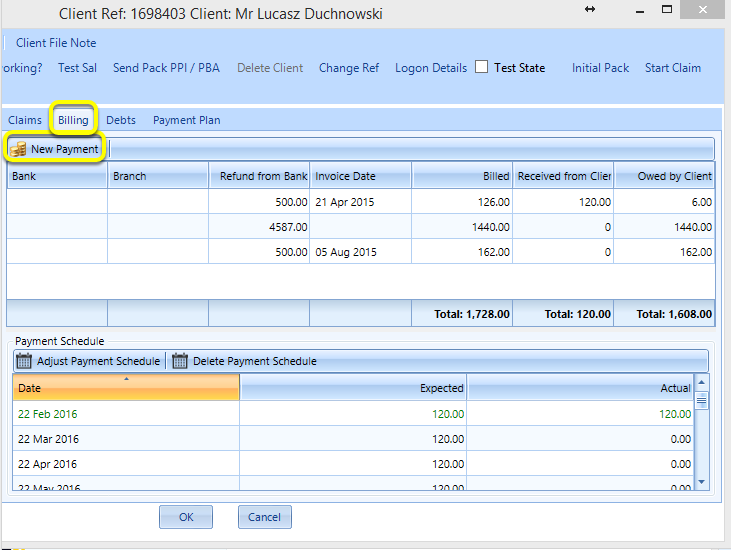
From the Billing tab, click New Payment. The New Payment window displays.
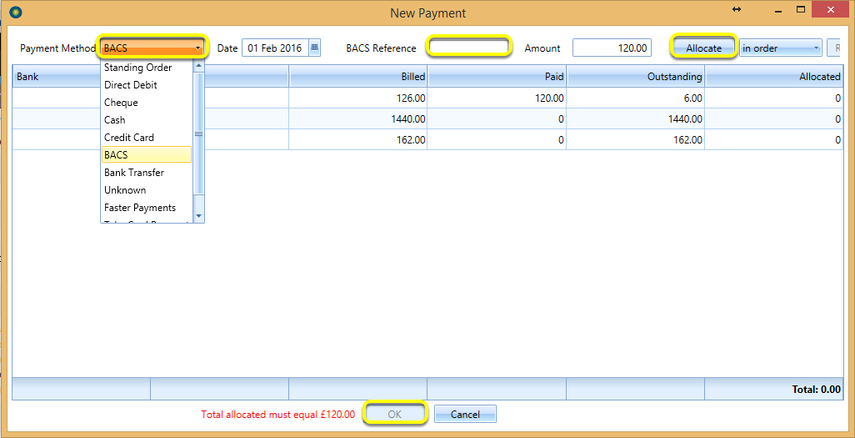
BACS Payment
Select Payment Method BACS and enter the BACS Reference.
Click Allocate.
Click OK.
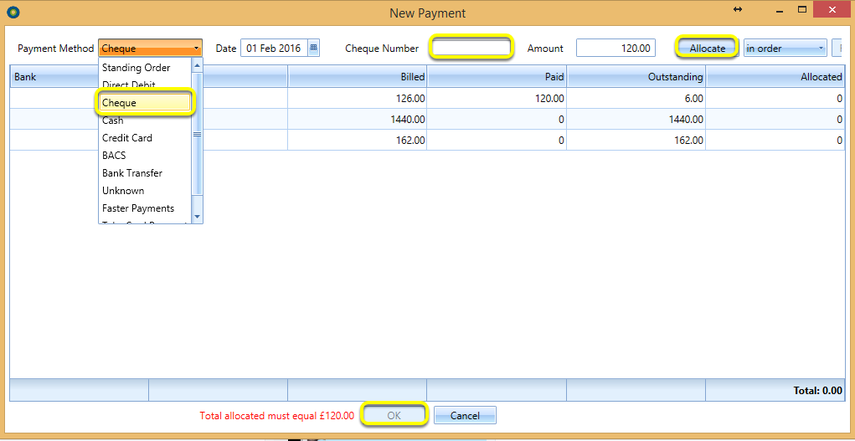
Cheque Payment
Select Payment Method Cheque and enter the Cheque Number.
Click Allocate.
Click OK.
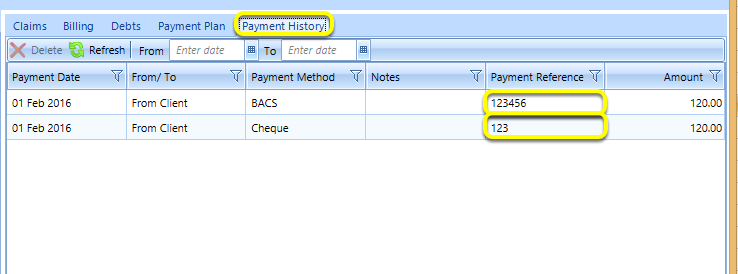
Payment History Tab
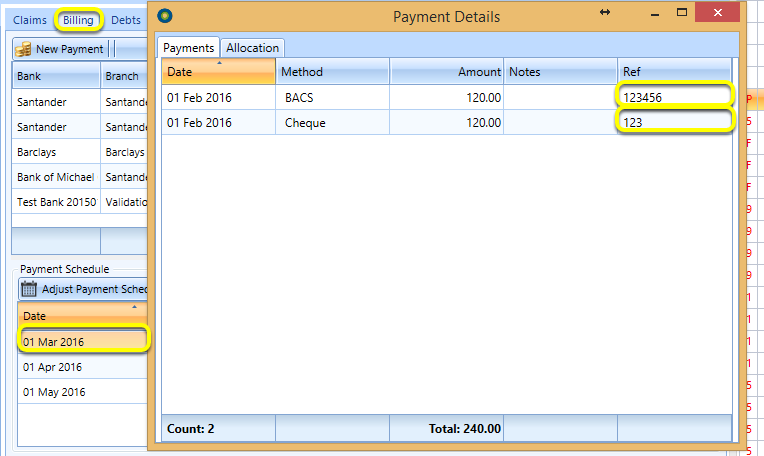
The Payment References display in the Payment History tab.
Note: In order to view the Payment History tab, the user permission Permission Based Visibility > View Claim Payments Tab must be enabled.
If a payment plan is in place, the payment reference can also be viewed by doubling-clicking the payment in the Billing tab > Payment Schedule > Payment Details window.
Introduced in version 2016.2.1.2369