How to record and Allocate part payments
Info
The Billing tab must be enabled for the User before use. Click here for instruction.
Open the Search window
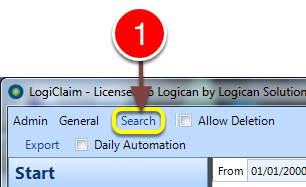
1: Click Search from the Menu - the Search window will open.
Open a Client
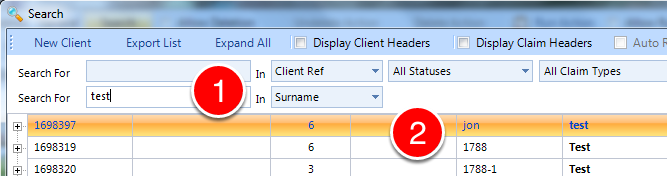
1: Enter search criteria, if required.
2: Double click the required client - the Client window will open.
Open the New Payment window
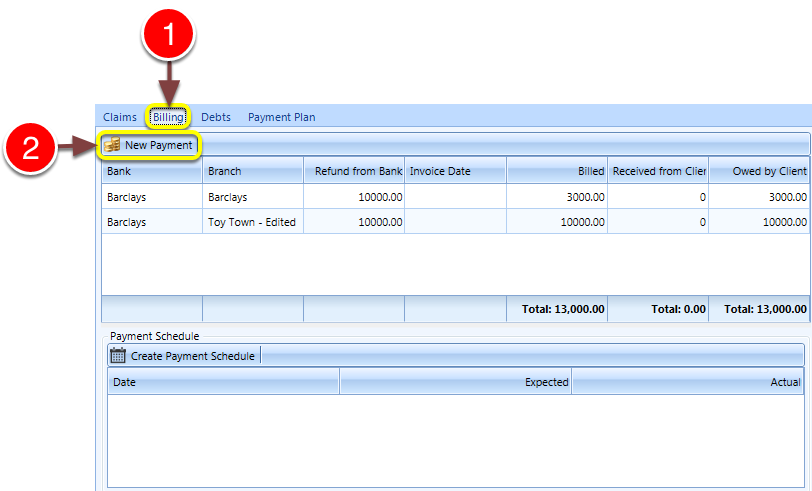
1: Click the Billing tab - the Billing window will open.
2: Click the New Payment button - the New Payment window will open.
Make a payment
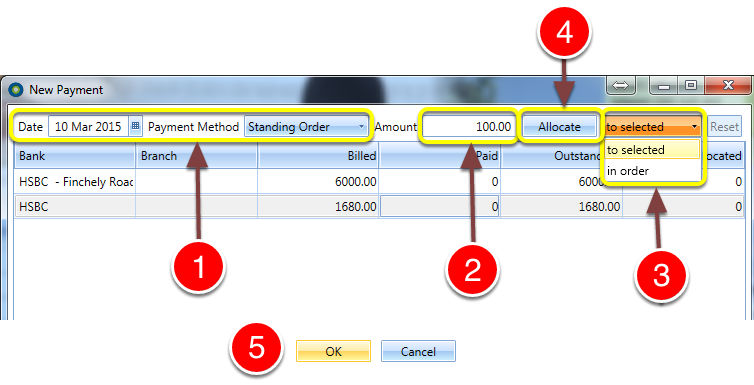
1: Select the Payment date and method.
2: Enter the amount if other than the scheduled amount.
3: Select whether the payment is to first be made to the highlighted bank, or in descending order.
4: Click Allocate. NOTE: The Allocated field can be edited for reallocation.
5: Click OK to save and close the window.
Paid
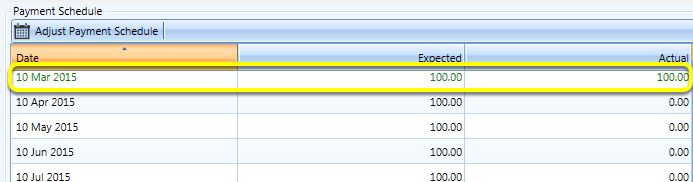
Payment is recorded and scheduled item turns green.