How to Create a Tenant Statement
BEFORE running this report Nominal Accounts for deposits need to be identified. Click here for instruction.
Open a Tenant
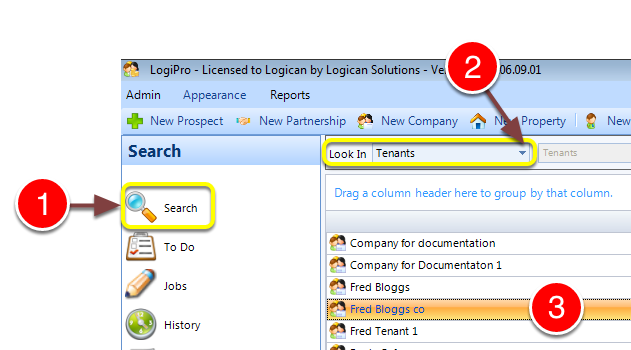
1: Click Search from the Side Menu.
2: Select Tenants from the drop down list - a list of tenants will open.
3: Double click a tenant to select - the Tenant window will open.
Run the Statement
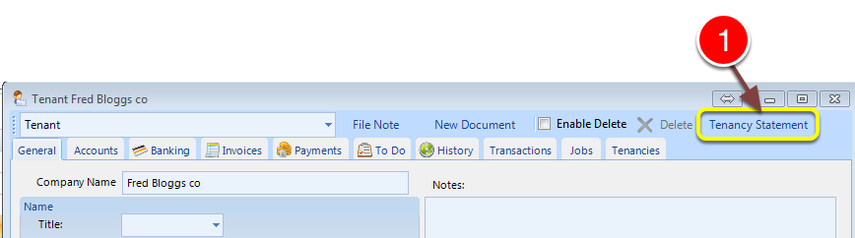
1: Click the Tenancy statement button.
If required Export the Statement to Excel
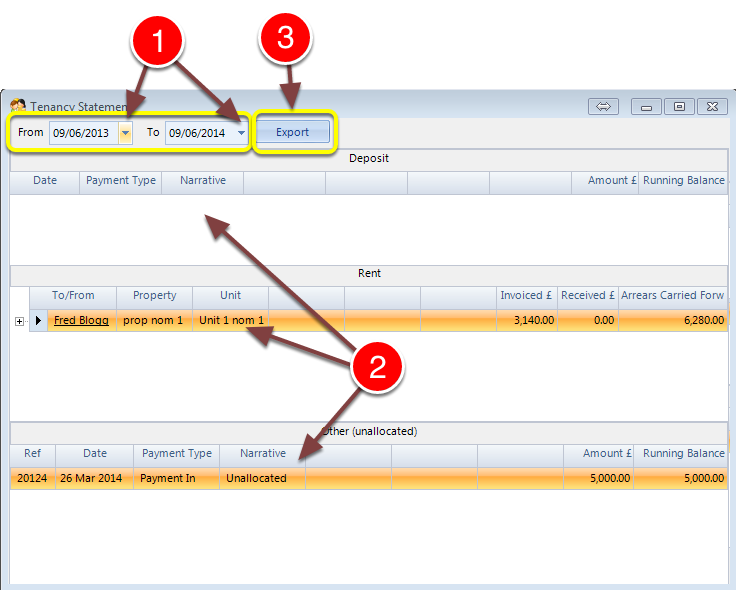
1: Select the dates required from the pop out calendar.
2: Information is displayed in the correct sections.
3: To Export to Excel click the Export button.