Email Invoices from the Invoice Screen
Info
This feature enables you to email an invoice from the main Invoice screen without needing to open the invoice.
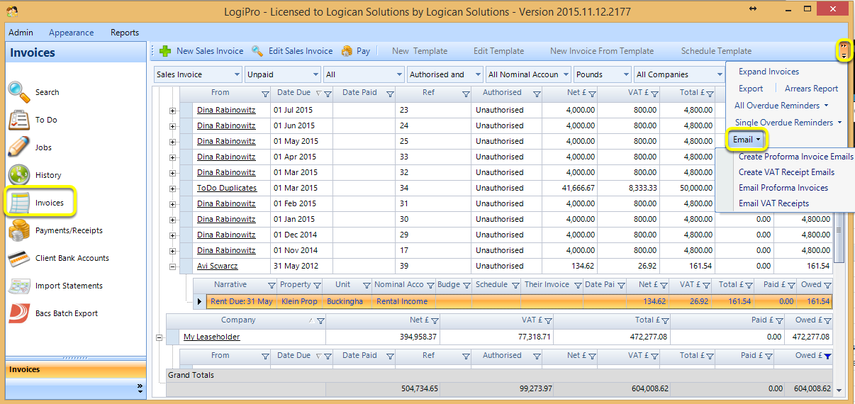
From the Invoice screen, select the invoice you want to email.
Expand the toolbar and click Email to select the type of invoice to email.
Note: Clicking Create Proforma Invoice Emails/Create VAT Receipt Emails opens a dialog box to add email addresses or text to an email in addition to attaching the invoice to the email. Clicking Email Proforma Invoices/Email VAT Receipts emails the invoice immediately.
Introduced in version 2016.1.13.2190