Email New Invoices from the To Do Screen
Info
LogiPro now offers the option to run an action from a To Do to email an invoice. This can be set for all invoices or an individual invoice.
Set All Invoices to be Emailed
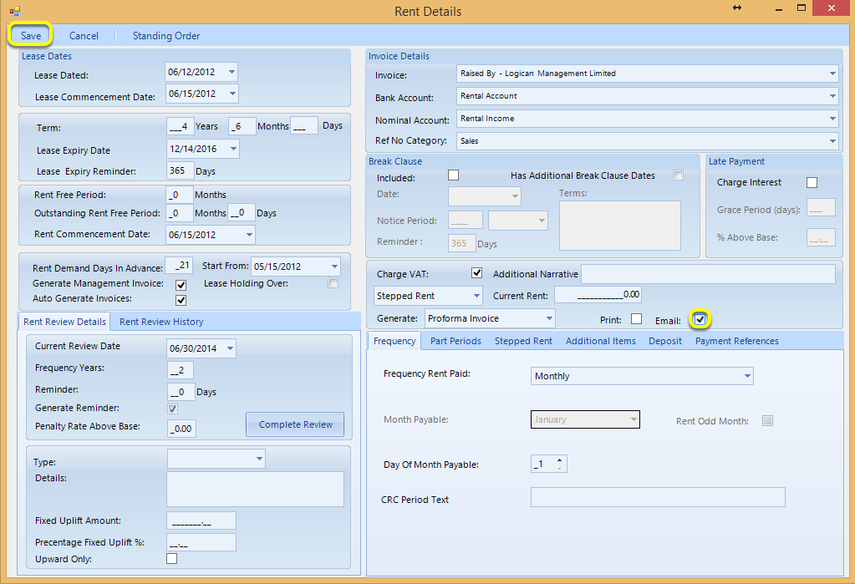
Open the Rent Details. (Search > Search In Units > select the unit and double-click the unit to open it > Details)
Tick the Email checkbox and click Save.
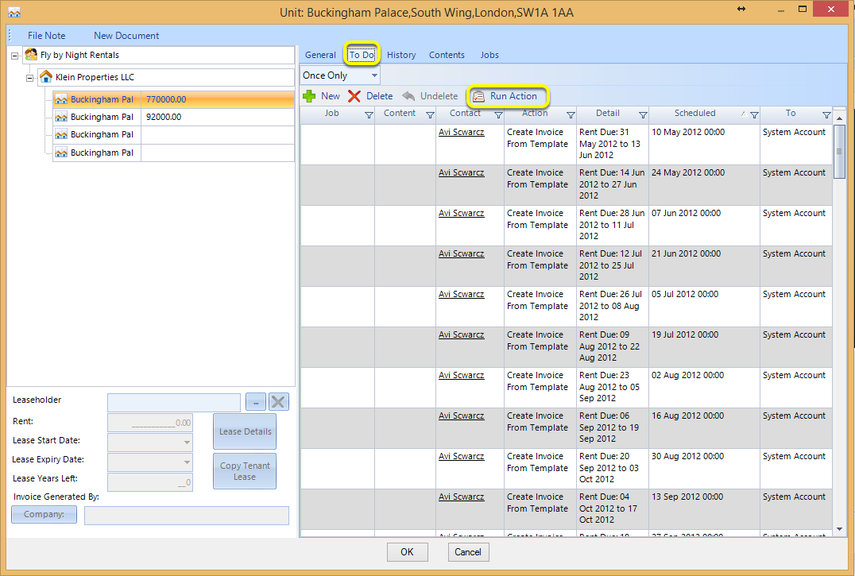
Click To Do.
Select the invoice and click Run Action. The invoice is emailed to the contact.
Set One Invoice to be Emailed
If Email is not ticked in the Rent Details window, and you want to email invoices on a selected basis:
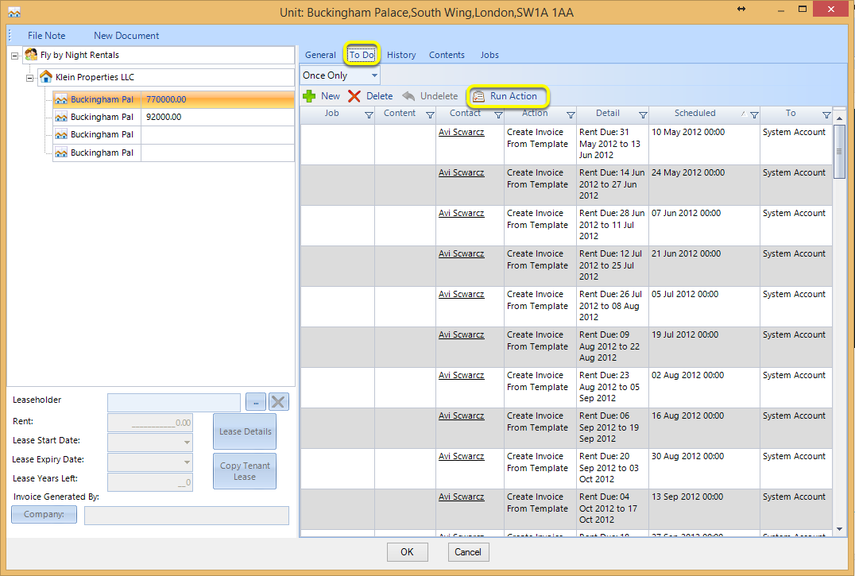
Click To Do.
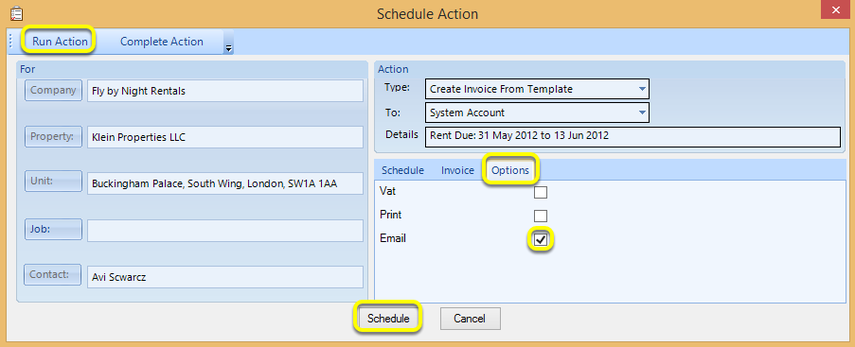
Double-click the Action to display the Schedule Action window.
From the Options tab, tick Email.
You can now Run Action to send the email now or Schedule the action to add the action to the To Do list.
Introduced in version 2016.1.13.2190