Service Charge Caps
Info
This feature enables you to cap the amount a tenant can be charged for service charges during a given period. The landlord will be charged for the remaining service charge amount due (if any) on that unit.
Click Search > Units, select a unit and double click to open the unit.
From the General tab click Details.
Select the Service Charge Cap tab.
Click Add to set a new cap amount.
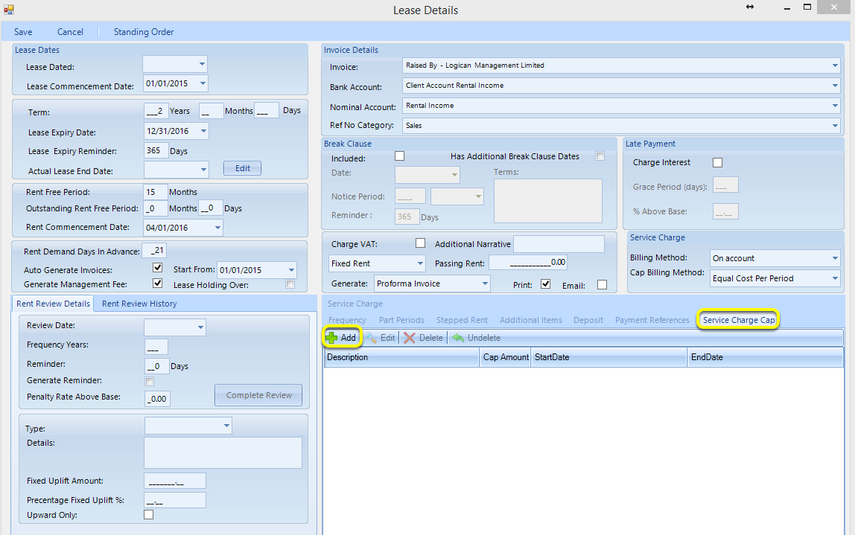
Note: Caps must be entered in chronological order.
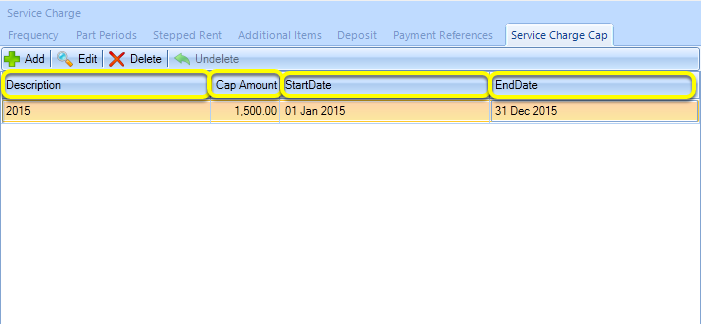
If relevant, enter a Description.
Enter the Cap Amount. Note: The Cap Amount is mandatory.**
Enter the StartDate. Note: The StartDate is mandatory.**
Enter the EndDate. Note: The EndDate is mandatory.**
When all caps have been added, save the lease.
Introduced in version number 2016.9.13.3391 - 28/09/2016