Tenancy Statement - Adding Invoice Ref column to the Document Template
Admin > Document Templates > Select Tenancy Statement > Edit
Select Edit Body of Document, Word application should open displaying the Tenancy Statement Document Template.
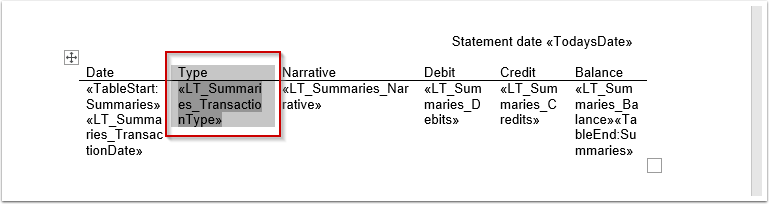
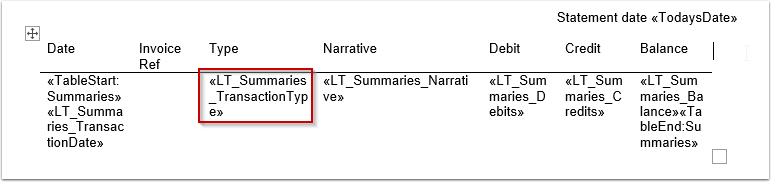
Select Type column, as shown below.
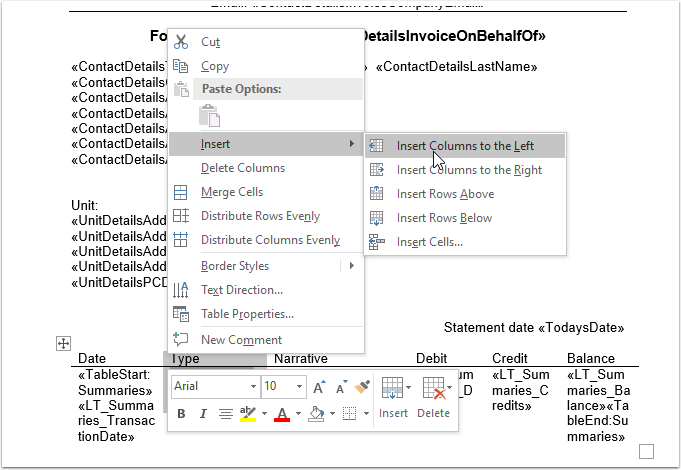
Right Click, select Insert > Insert Columns to the Left
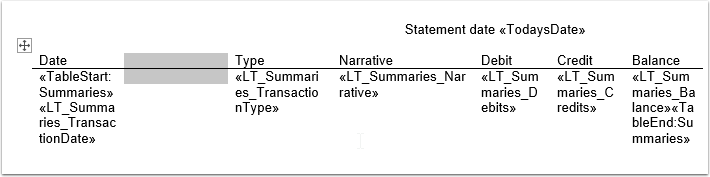
Column is added
Enter the Column name e.g Invoice Ref
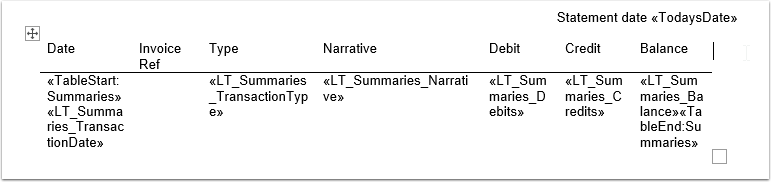
Copy the "«LT_Summaries_TransactionType»" text from the Type column
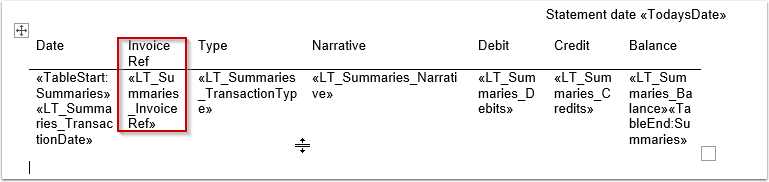
Paste the copied text in the Invoice Ref column and edit the 'Transaction Type' text to be Invoice Ref
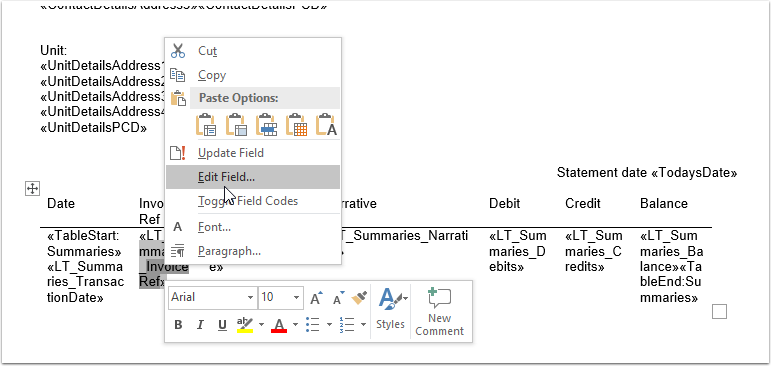
Select \<\<LT_Summaries_InvoiceRef>>, Right Click > Edit Field
Field window is displayed. Change the Field properties by replacing the TransactionType text to InvoiceRef as shown in the image below.
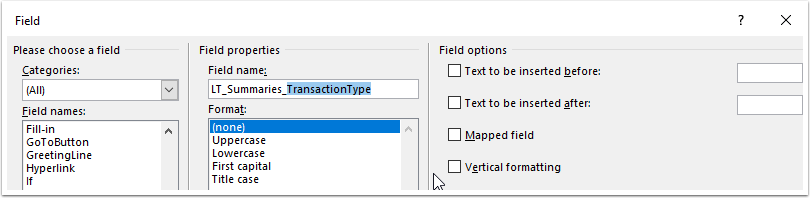
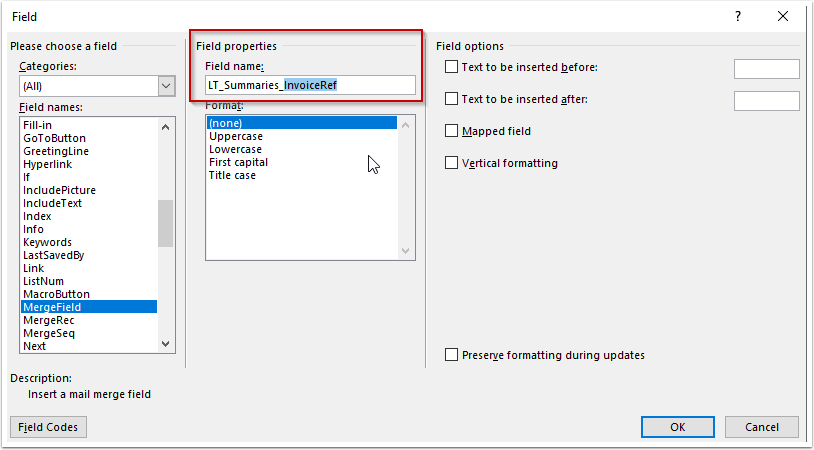
Select Ok to save and close. Save the template in Word.