How to Add a Clients Expenses
Info
NOTE: The correct part of the Debt Management System must be authorised for each user first. Click here for instruction.
Open Search window
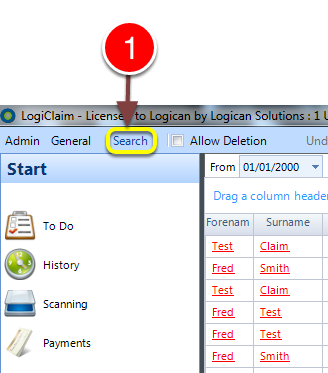
1: Click Search from the menu - the Search window will open.
Select a client
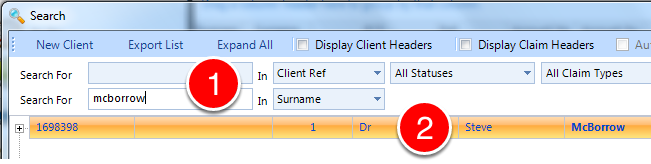
1: If required enter some search criteria or click enter for all records.
2: Double click the desired client - the client will open.
Open the Expenses window
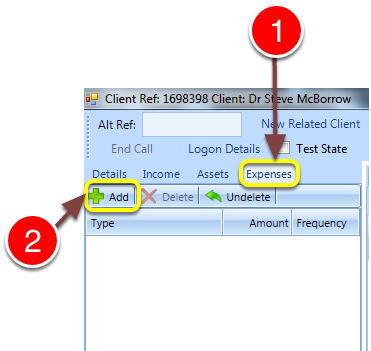
1: Click the Expenses tab - the Expenses window will open.
2: Click Add - the Add Expense Types window will open.
Add an expense
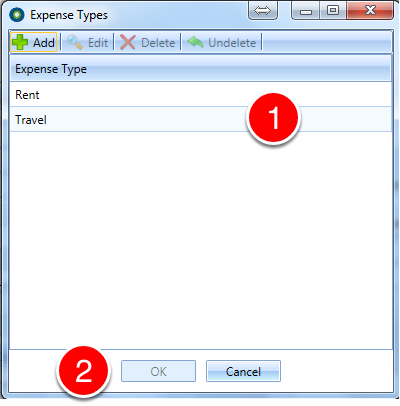
1: Click on the desired Expense Type.
2: Click OK to close the window.
Create a new expense
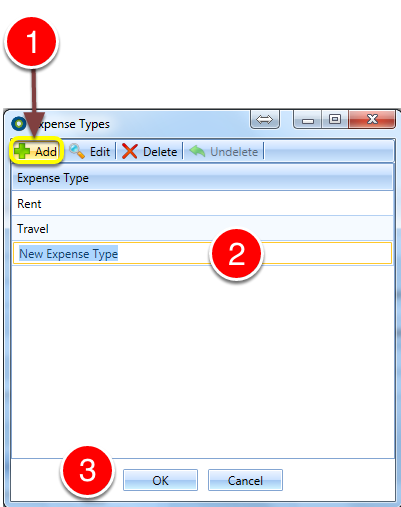
1: Click Add - a new entry will be created.
2: Enter a description for the Expense Type
3: Click OK to Save Expense Type and close the window.