How to update Debt Statuses on the drop down list
Info
NOTE: The correct part of the Debt Management System must be authorised for each user first. Click here for instruction.
Open the Debt Status window
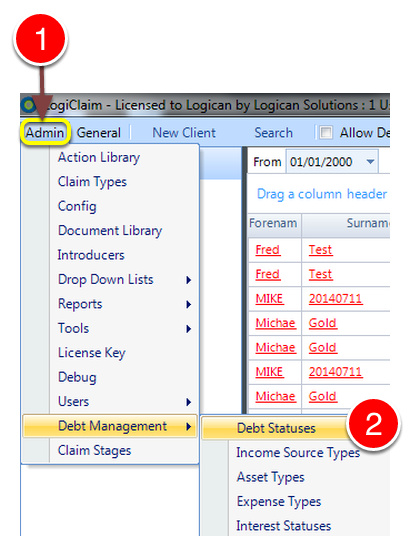
1: Click Admin from the menu.
2: Select Debt Management:-> Debt Statuses from the Drop Down list: the Debt Statuses window will open.
Add a new Status
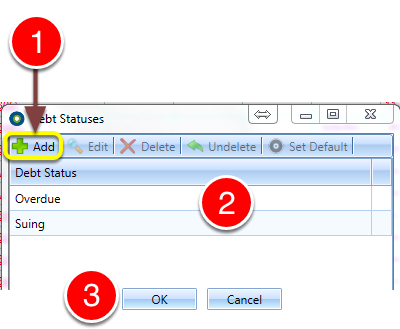
1: Click Add: A new line will be created for editing.
2:Click the desired Debt Status.
If you require more Statuses, click the Add to create more.
3: Click OK to Save the data and close the window.