How to filter items to view in a To Do list
Info
To see how to open the To Do list click here.
Select criteria

There are 4 items that can be selected on the select bar.
Selecting Dates
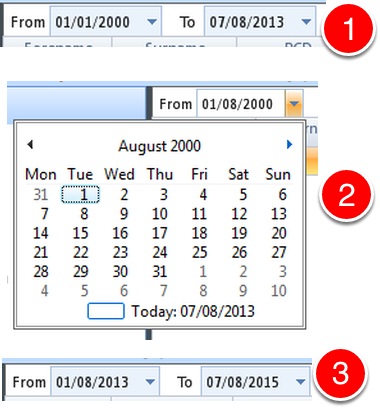
1: Default dates show when you first open the To Do list.
2: Select a date from the pop out calendar.
or
3: Type a data using "/" to separate Day / Month / Year.
Select Action
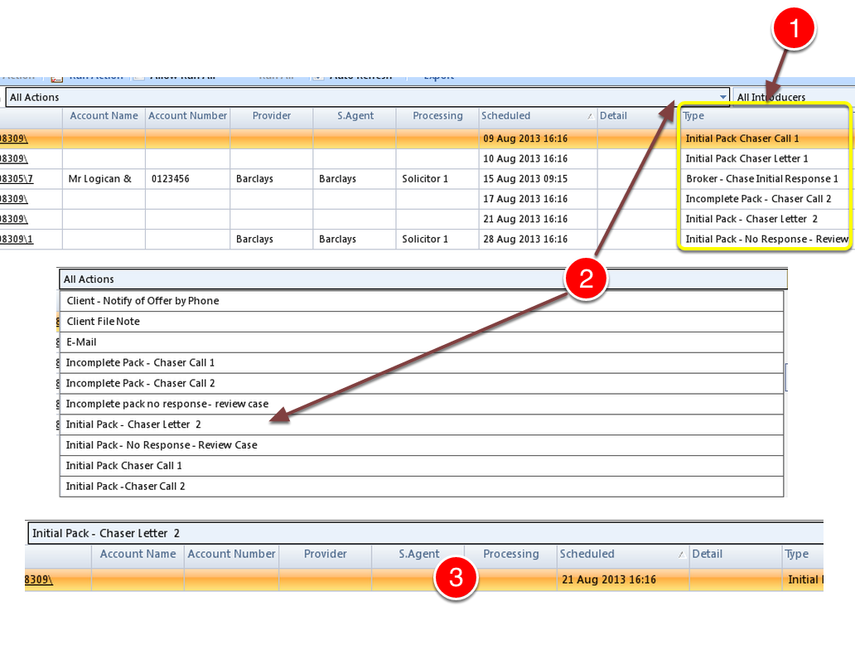
All Actions will show the complete list.
1: The Action Type shows in the type column.
2: Select the Action Type from the drop down list.
3: The list will be refreshed to show your selection.
Select Introducers
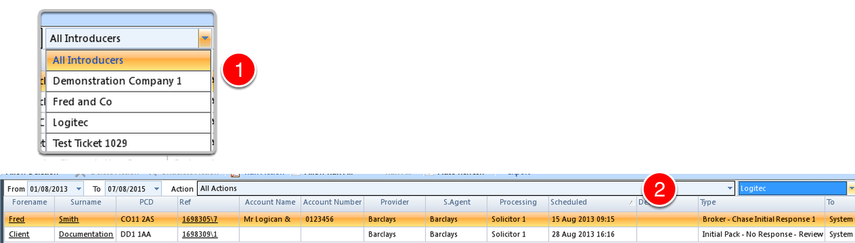
1: Select an Introducer from the drop down list.
2: Although the Introducer does not show in the table, the list will be refreshed showing only the claims from the selected Introducer.
Select the Agent that initially took details of the Claim
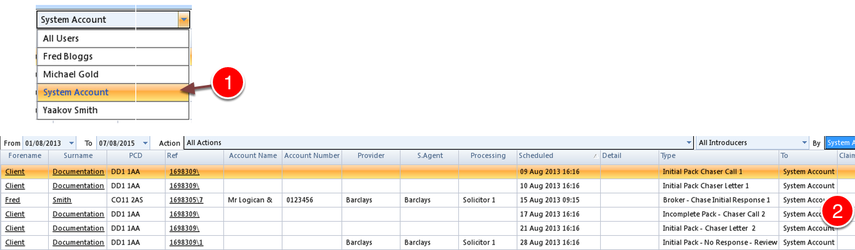
1: Select a Systems Account from the drop down list.
2: The list will be refreshed showing only the claims attached to the Account selected.