How to Schedule a review on all Live Claims with no To Do's
Run the Schedule
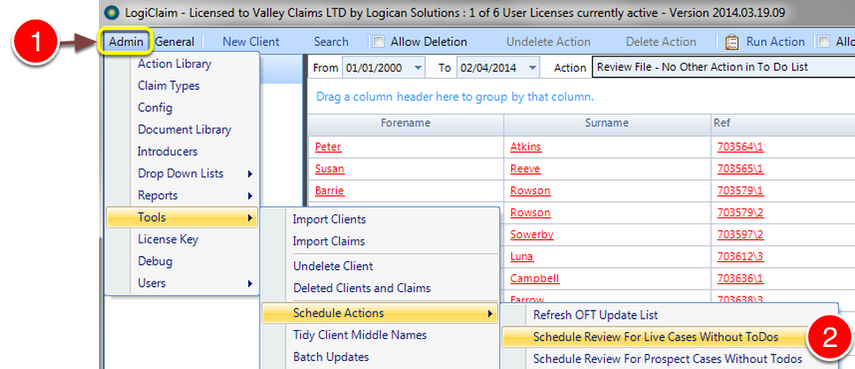
1: Click Admin from the Menu.
2: Select Tools --> Schedule Actions --> Schedule Review For Live Cases Without ToDos - The menu will close and the schedule will be run in the background.
Check Results
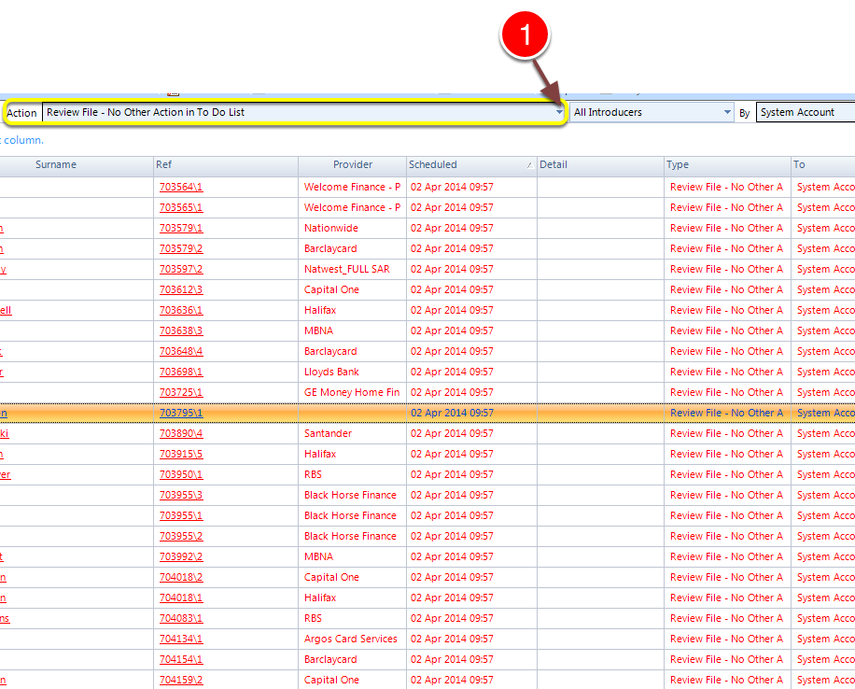
In the To Do List
1: Select the Action type: Review File - No Other Action in To Do List - a list of the claims will display.