How to add a Leaseholder to a Unit
Open a Unit
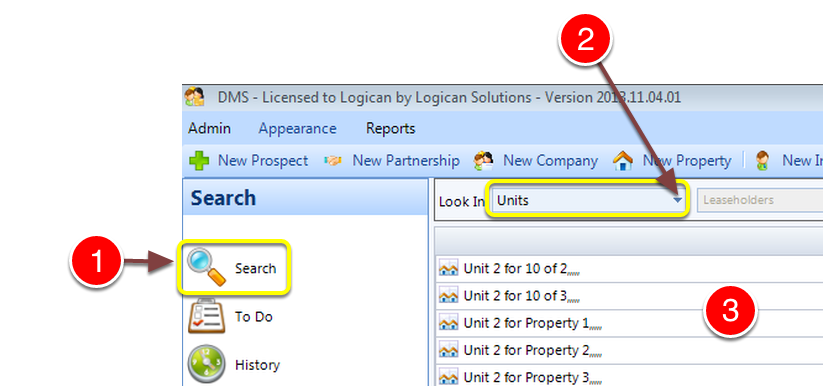
1: Click Search from the Side Menu.
2: Select Units from the drop down list - the list of Units will be displayed.
3: Select a Unit by double clicking - The Edit Unit window will open.
Select a Leaseholder
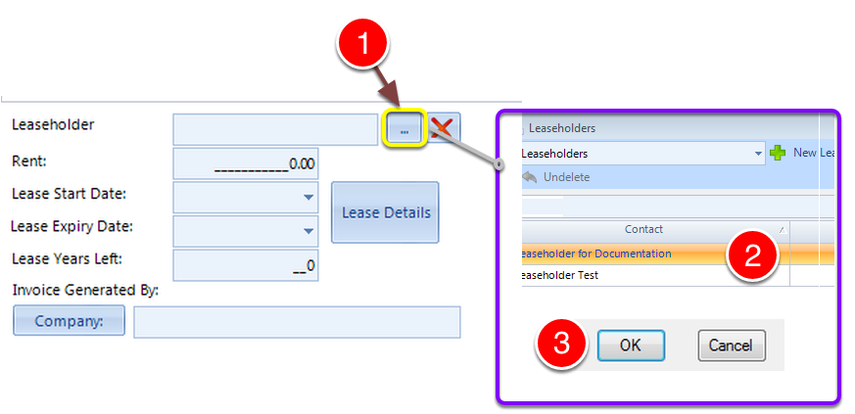
1: Click ... to open the Leaseholder select window.
2: Select a Leaseholder from the list.
3: Click OK.
Warning message
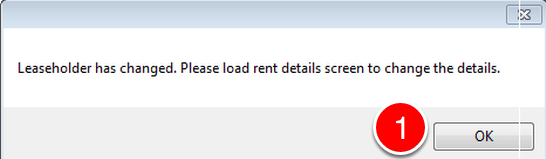
When a leaseholder is changed or added, the system will remind you to create new rent details.
1: Click OK to close the warning window.
Enter Lease Details
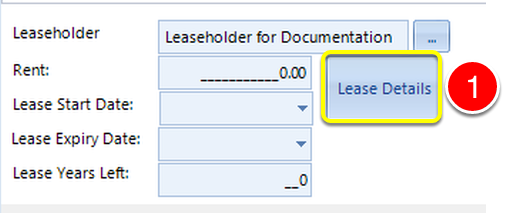
1: Click the Lease Details button - the Lease details window will open.
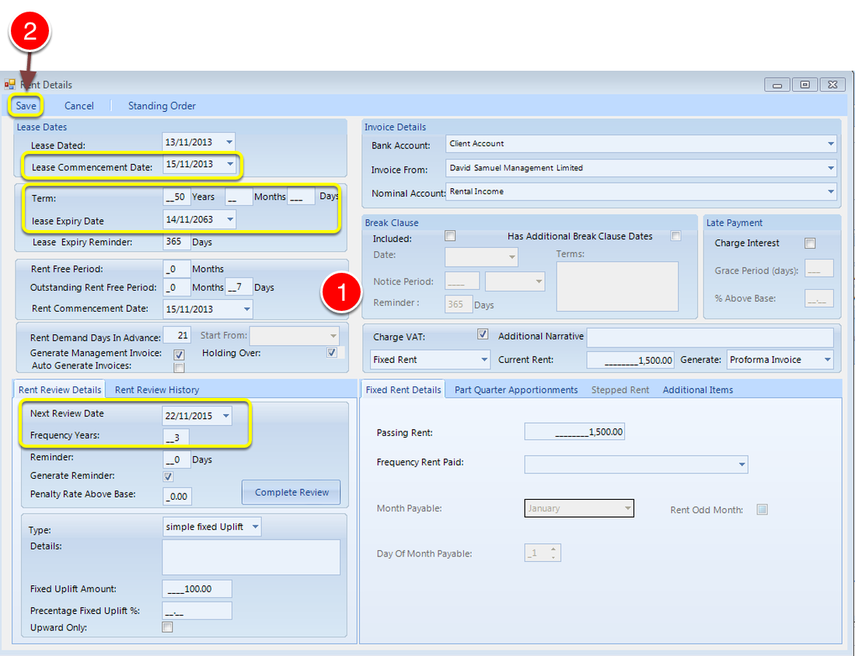
1: Complete the details on the rent screen. Note that Lease Commencement Date, Term, Next Review Date and Frequency Years are Mandatory fields.
2: Click Save to Save the details and close the window.
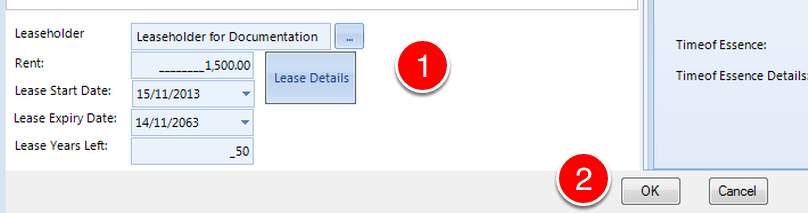
1: The Lease Details are populated on the Unit window.
2: Click OK to close the window.