How to raise an invoice on behalf of another company
Open the Unit to Invoice
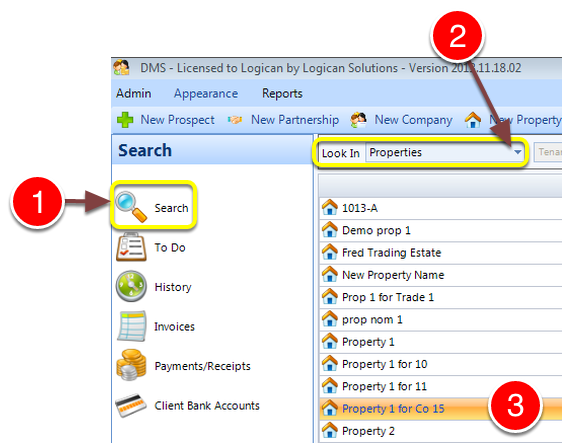
1: Click Search from the Side Menu.
2: Select Properties from the drop down list.
3: Double click the required property - the Edit Property window will open.
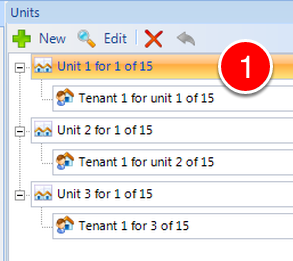
1: Double click the required Unit - the Edit Unit window will open.
Select the Invoice Generated by company
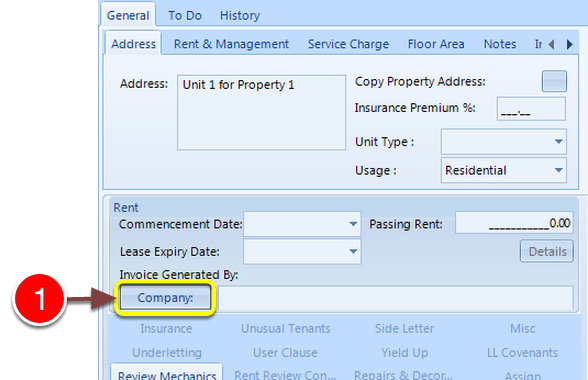
1: Click the Company button - the Select Company window will open.
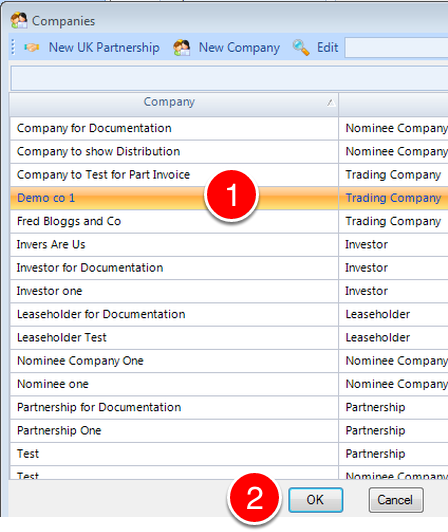
1: Select the required company.
2: Click OK - the window will close.
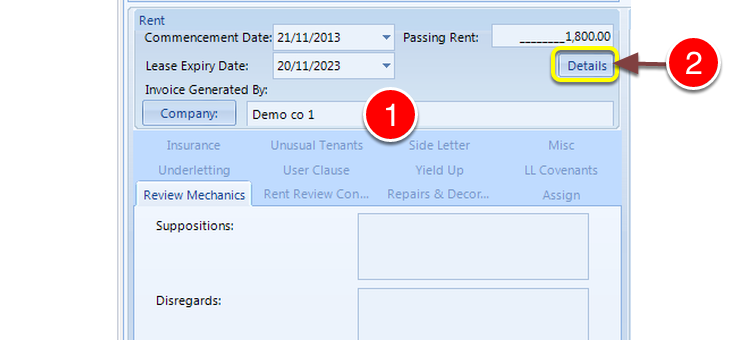
1: The company is added to the Unit Invoice Generated By field.
The Lease needs to be opened and saved in order to store the new Invoice Generated by details.
2: Click Details to open the lease.
Confirm rent details
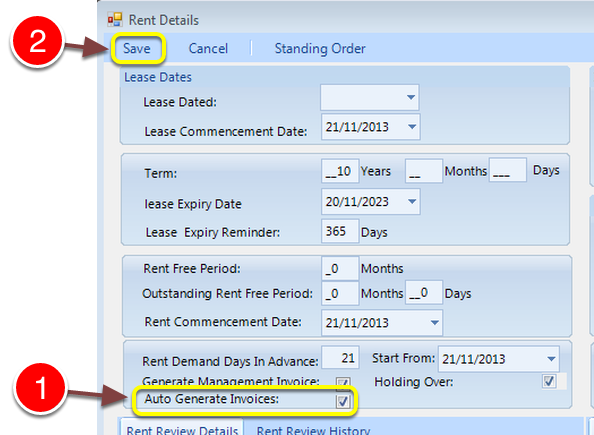
1: Confirm the Auto Generate Invoice check box is ticked.
2: Click Save - the details will Save and the window will close.

1: Click OK to close the Edit Unit window.
Open the Invoice Generated by Company
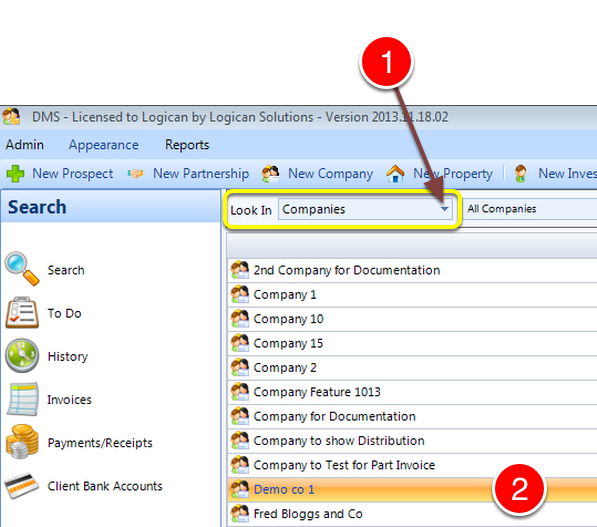
1: Change Look In to Companies - a list of Companies will open.
2: Double click the required Company - the Edit Company window will open.
Open the Template
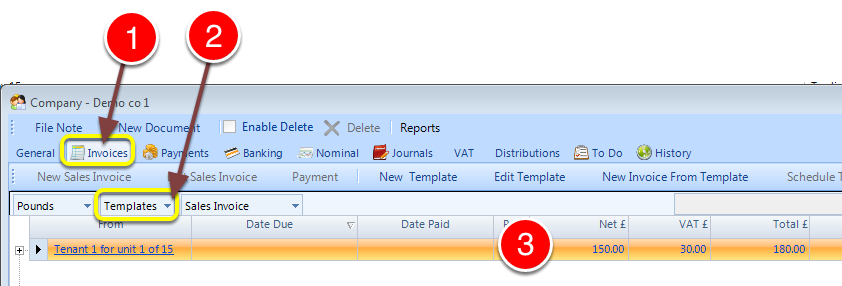
1: Select the Invoice tab - the Invoices window will open.
2: Select Templates from the drop down list - a list of available Templates will open.
3: Double click the required template - the Invoice window will open.
Raise the Invoice
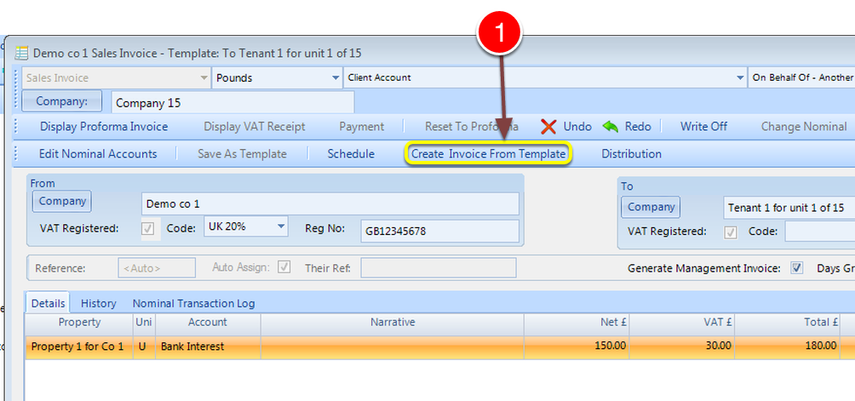
1: Click Create Invoice From Template - the Invoice window will open.
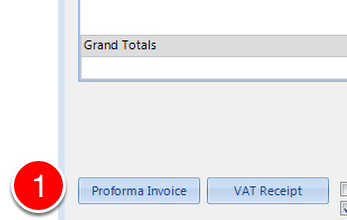
1: Click Proforma Invoice - the Invoice will be raised.