How to Part Pay an Invoice
Select invoice to Part Pay
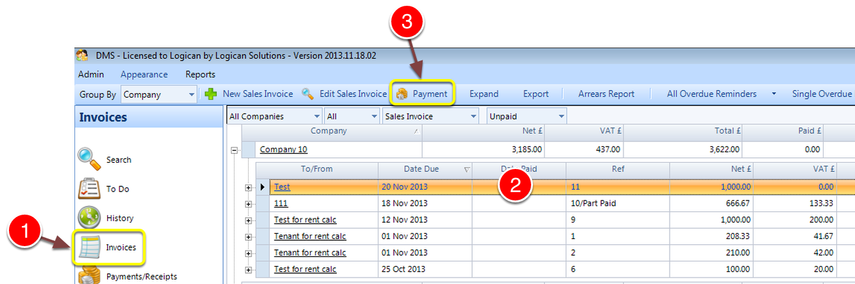
1: Select invoice from the Side Menu.
2: Select the Invoice to Part Pay.
3: Select Payment - the Payment window will open.
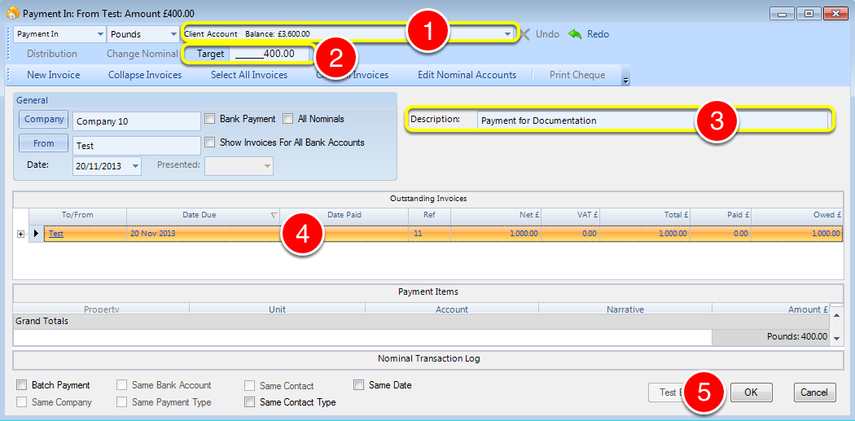
1: Select Bank Account.
2: Enter the payment amount.
3: If required, enter a description.
4: Select the Invoice to Part Pay.
5: Select OK - the Payment will be made and the window will close.
Vat Receipt
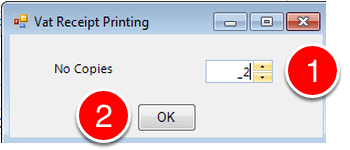
1: choose the quantity of VAT receipts required.
2: Click OK - the window will close.
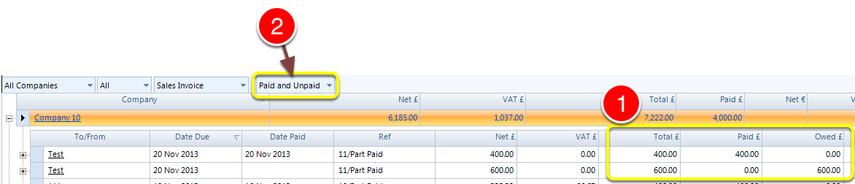
1: A second Invoice will be created and the values split. One invoice is marked paid while the other is outstanding.
2: To see both Paid and Unpaid invoices, the option must be selected from the drop down list.