BACS Payments
Info
BACS details can be added to contacts and investors so that when payments to those contacts are created, a BACS file will be generated as well.
Setup from a Contact
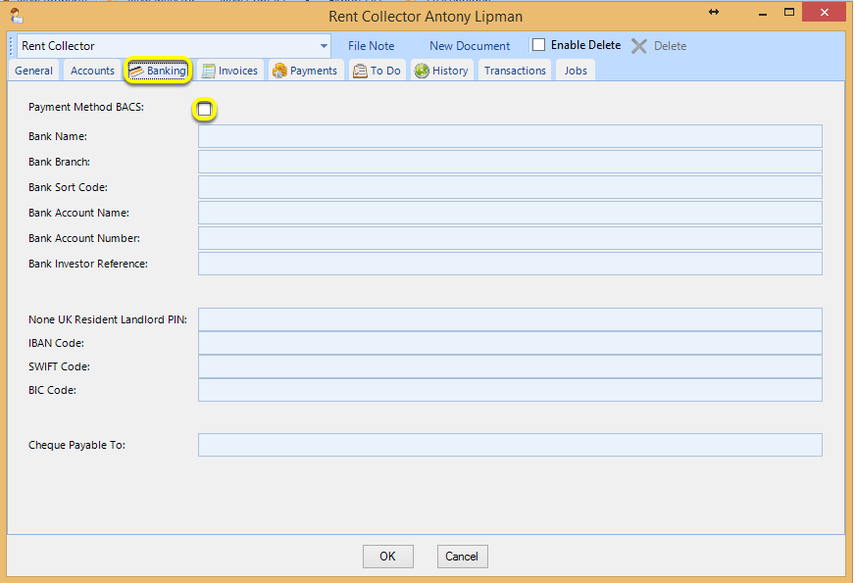
Click Search > Search In Contacts > select a contact and double-click the contact to open it > Banking tab.
Enter the bank details and tick Payment Method BACS. The payments to the contact will be paid by BACS.
Setup from an Investor
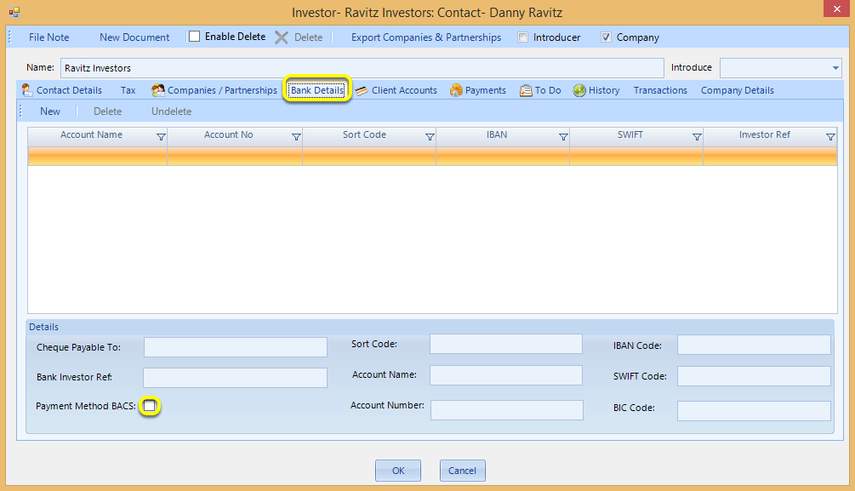
Click Search > Search In Investors > select an investor and double-click the investor to open it > Bank Details tab.
Enter the bank details and tick Payment Method BACS. The investor payments or distributions will be paid by BACS.