Client Accounts Setup
Info
Client accounts enable you to track all account activity for each individual client. Client accounts can be added from the main Client Bank Accounts screen.
Client Bank Accounts Screen
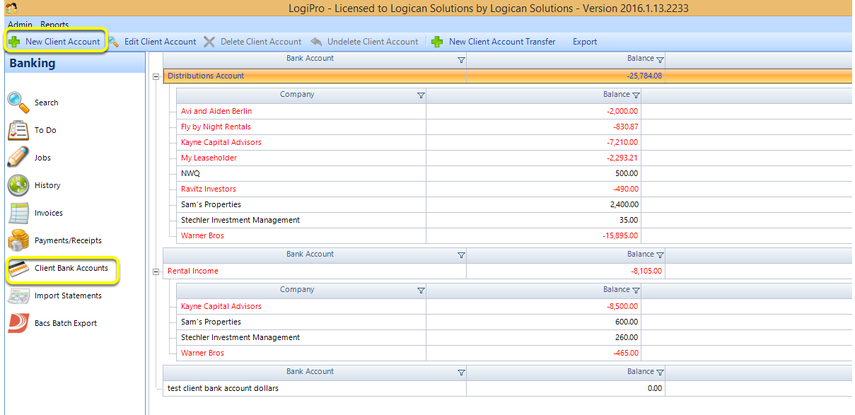
Click Client Bank Accounts > New Client Account. The Client Bank Account window displays.
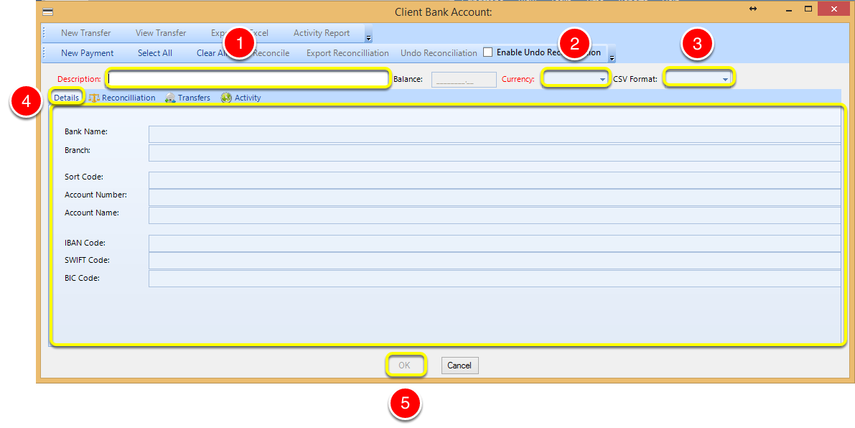
Note: All fields with red labels are mandatory.
1. Enter a bank account Description.
2. Select the bank account Currency.
3. Select the CSV Format.
4. Enter the bank Details.
5. Click OK to save the account details.