Company Bank Accounts Setup
Info
Company bank details can be added for use in transactions.
From a Company
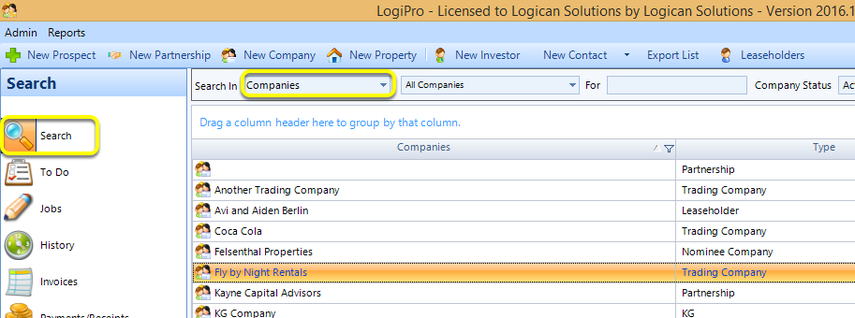
Click Search > Companies, select a company, and double-click to open the company. The Company window displays.
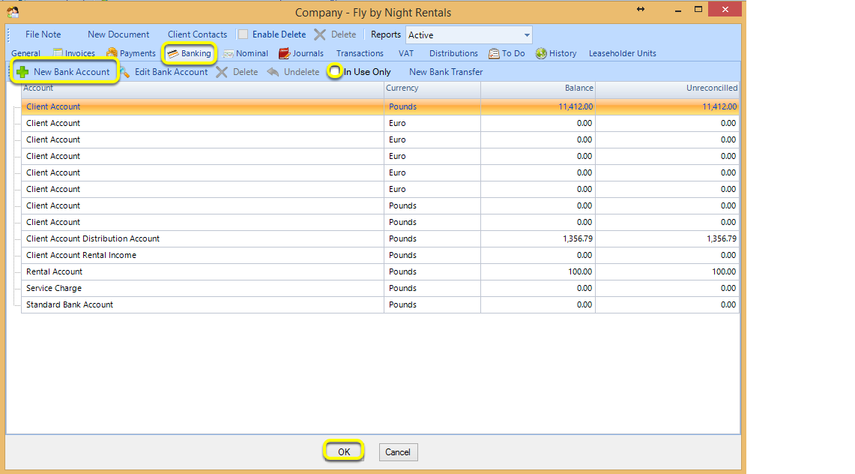
1. From the Banking tab, untick In Use Only. The New Bank Account button activates.
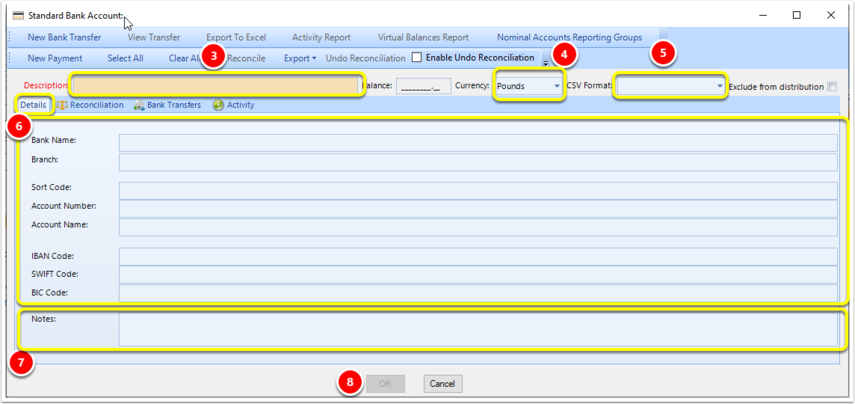
2. Click New Bank Account. The Standard Bank Account window displays.
Bank Account Details
Note: All fields with red labels are mandatory.
3. Enter a bank account Description.
4. Select the bank account Currency.
5. Select the CSV Format.
6. Enter the bank Details.
7. Notes can be added. You can add text that is greater than 50 characters in the Notes area.
8. Click OK to save the account details.
Note: If you do not want to include funds from this account in distributions, tick Exclude from distribution.