How do I copy the Questionnaire Answers from one claim to another
Info
Before using this function, it has to be enabled. Click here for instruction.
Open the Search window.
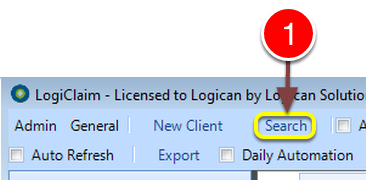
1: Click Search from the window - the Search window will open.
Select the Client
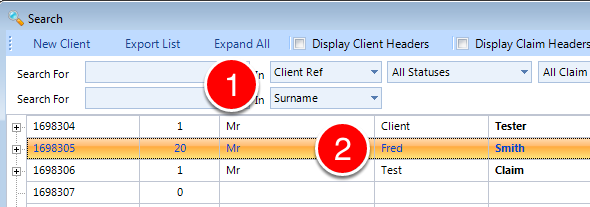
1: If required enter some Search Criteria or press enter for all.
2: Double click the required Client to open - the Client window will open.
Select the Claim to copy the Questionnaire to
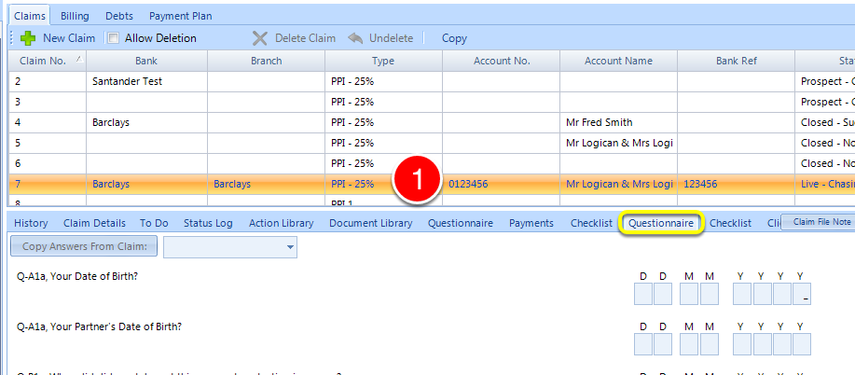
1: Click the required Claim to select.
Select a Claim from the Drop down list
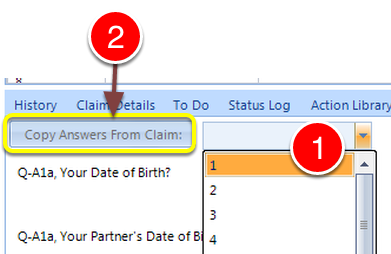
1: Select the Claim to copy the information from from the drop down list.
2: Click Copy Answers from Claim to copy the information.
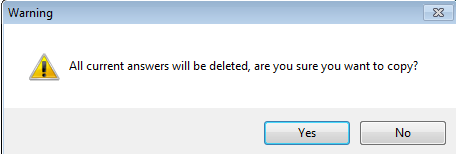
1: To confirm the copy Click Yes - the Answers will be Copied from the selected Claim.