Enable Alternate Email Field
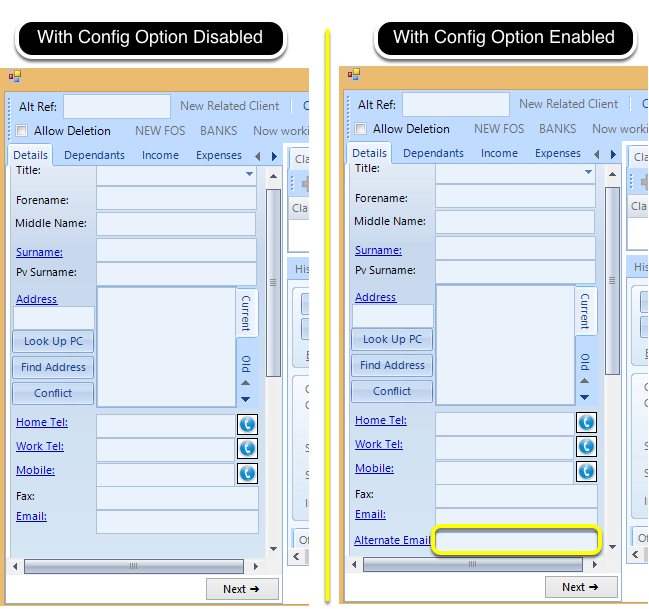
Enable the Config Option
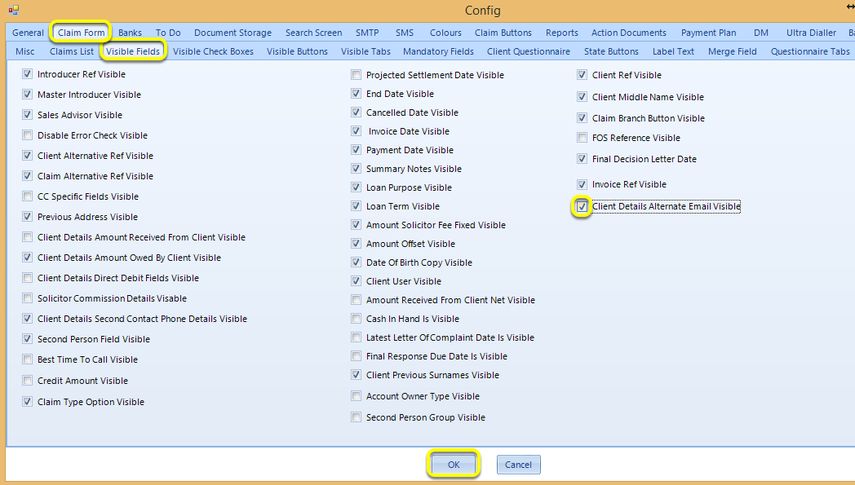
Click Admin > Config > Claim Form > Visible Fields > tick Client Details Alternate Email Visible > click OK.
Search
From the main screen, click Search.
Enter the email address in the Search For and field and select In Email. All claims referencing that email address display.

Introduced in version 2016.5.11.2512