How to Export Claim Attachments
Open the Banks window
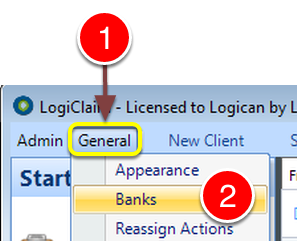
1: Click General from the Menu.
2: Select Banks from the drop down list - the Banks window will open.
Select the required Bank
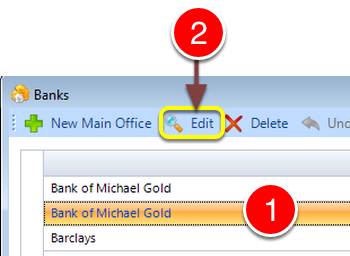
1: Select the required Bank.
2: Select Edit - the Edit Bank window will open.
Open the Claims
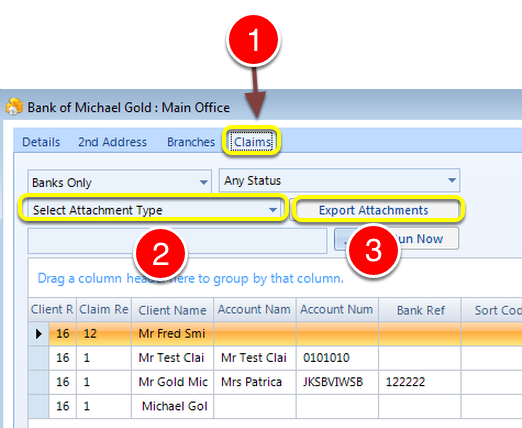
1: Select the Claims tab - the Claims window will open and a list of Claims will be displayed.
2: Select an Attachment type from the drop down list.
3: Click Export Attachments - you will be asked to navigate to where the Documents should export to.