How to use the new User Performance And Workload Report
Ensure The "Enable User Performance And Workload Report" Permission is set
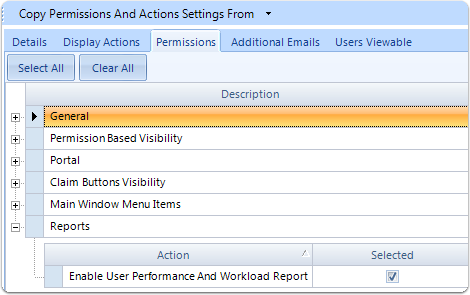
1: For help on how to edit user permissions, click here.
Open the User Performance And Workload report window
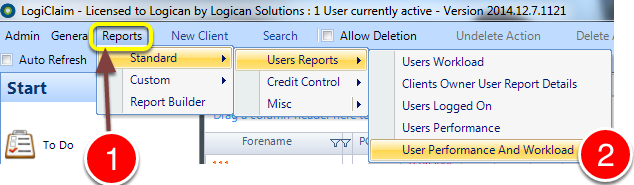
1: Click Reports from the Menu.
2: Select Standard--> User Reports--> User Performance And Workload from the drop down list -the User Performance And Workload Report window will open.
Select an Action and choose a Date Range
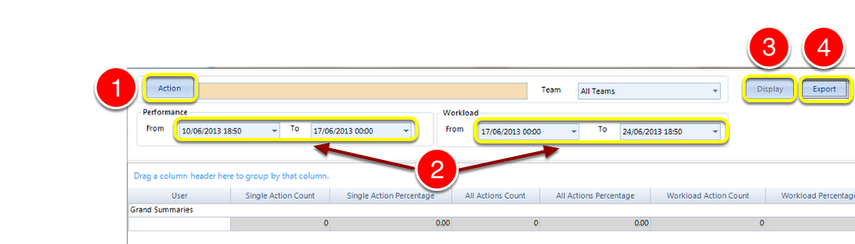
1) Select an action to filter the report by, this field is compulsory.
2) Choose both a Performance and Workload Date Range.
3) Click Display to view results.
4) Click Export to export to excel.