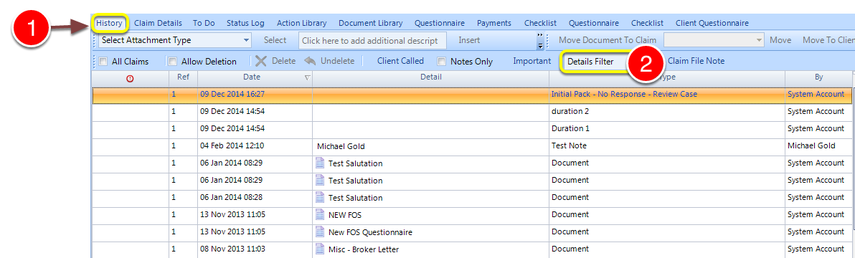
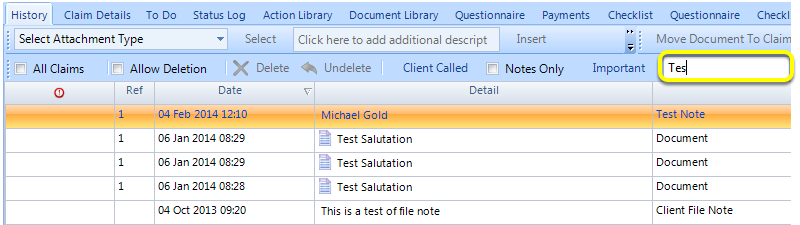
How to filter the history of a client¶ Open a client and select the history tab¶ 1: Click the History Button. 2: Type the detail required in the details filter. This list only shows items whose detail or Type contains the search term