Editing a User's name, password and details
Open the Users window
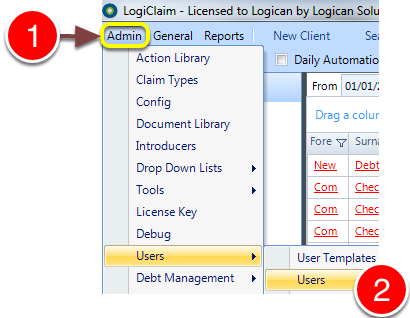
1: Click Admin from the menu.
2: Select Users --> Users from the drop-down menu - the Users window will open.
Open the required User's window
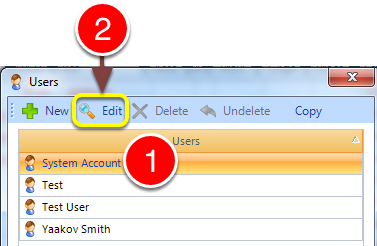
1: Select the required user.
2: Click Edit - the User's window will open.
Change the details
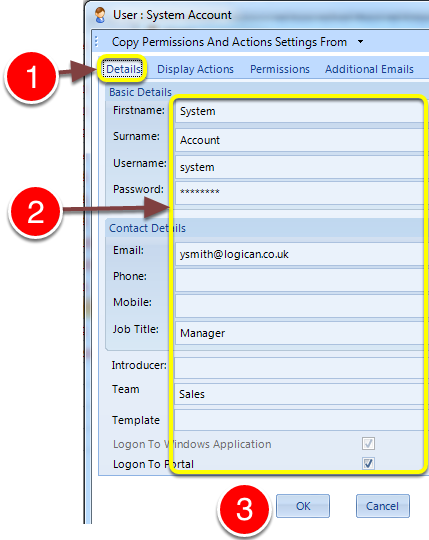
1: Click the Details tab - the Details window will open.
2: Edit the details.
3: Click OK to save and close the window.