How an Administrator User changes a password
Open the Users window
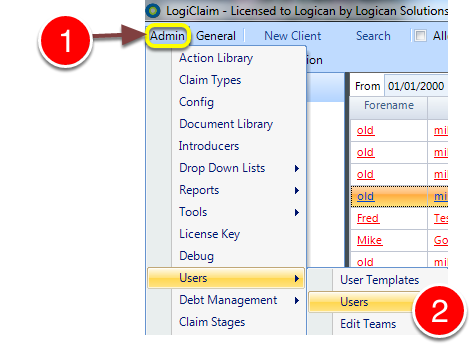
1: Click Admin from the Menu.
2: Select Users --> Users from the drop-down lists - the User window will open.
Open the required User's window
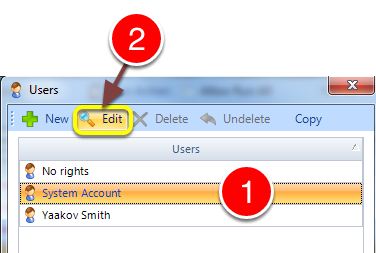
1: Click on the required user.
2: Click Edit - the User's window will open.
Change the password
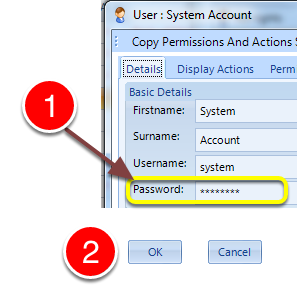
1: Enter a new password.
2: Click OK to save the changes - the User window will close.