How a Standard User changes their password
Info
A standard User is a User who's permissions doesn't include Admin rights.
Open the Change Password window
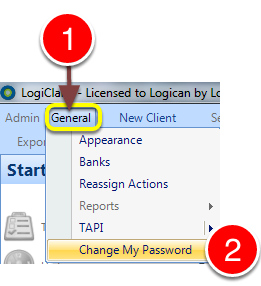
1: Click General from the Menu.
2: select Change My Password from the drop-down list - the Change Password window will open.
Update the password
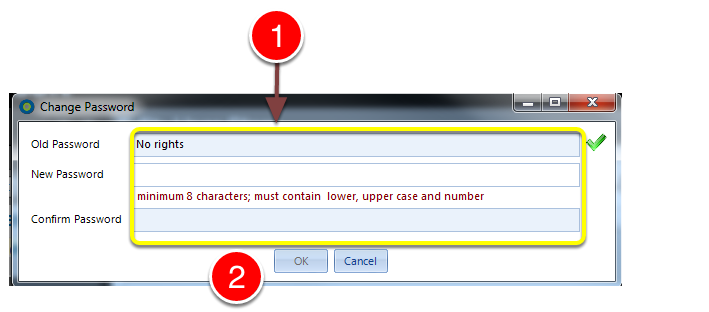
1: Enter the current password ( a green tick on the right will indicate that the correct one has been entered) and the new password twice.\ Note: The password requires a min. 8 characters and contain at least 1 lower case letter, 1 upper case letter aswell as a digit.
3: Click OK to save the password and close the window.