Default Nominal Account Configuration
Info
LogiPro supplies an extensive list of default nominal accounts; however, it also allows you to add others. For instructions on adding a nominal account that is company specific, click here. For instructions on setting the default accounts for invoices, click here .
Add Nominal Accounts
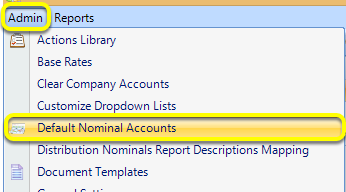
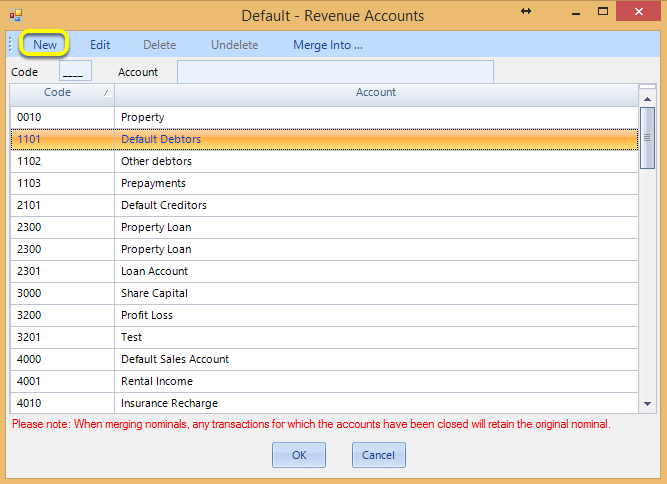
To add additional Default Nominal Accounts, click Admin > Default Nominal Accounts. The Default Revenue window displays.
Add a New Nominal Account
Click New. The Nominal Account window displays.
Note: For instructions on Merging Nominal Accounts, click here.
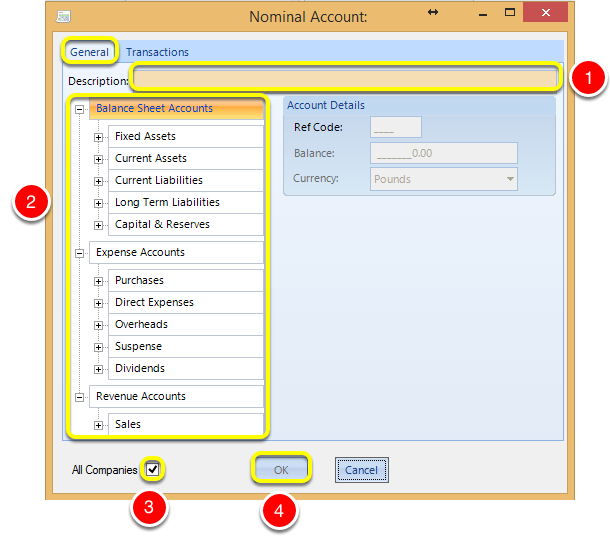
1. From the General tab, enter a Description.
Note: The Description must contain a minimum of three characters.
Note: All fields highlighted in peach are mandatory fields.
2. Expand the accounts tree and select the account to apply the new nominal account to. The Ref Code populates with the relevant code and the OK button becomes active.
3. If relevant, tick the All Companies checkbox to add the new account to all companies.
4. Click OK. The new nominal account is added.