Investor Company with a Contact Setup
New Investor Company Setup
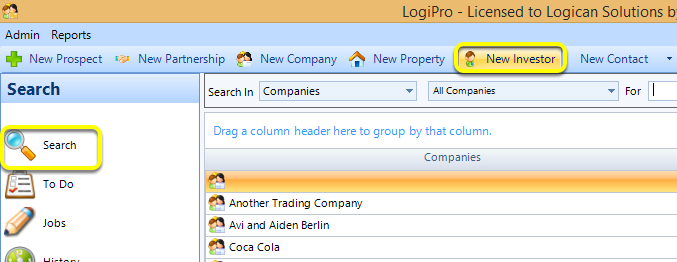
Click Search > New Investor. The Investor : Contact window displays.
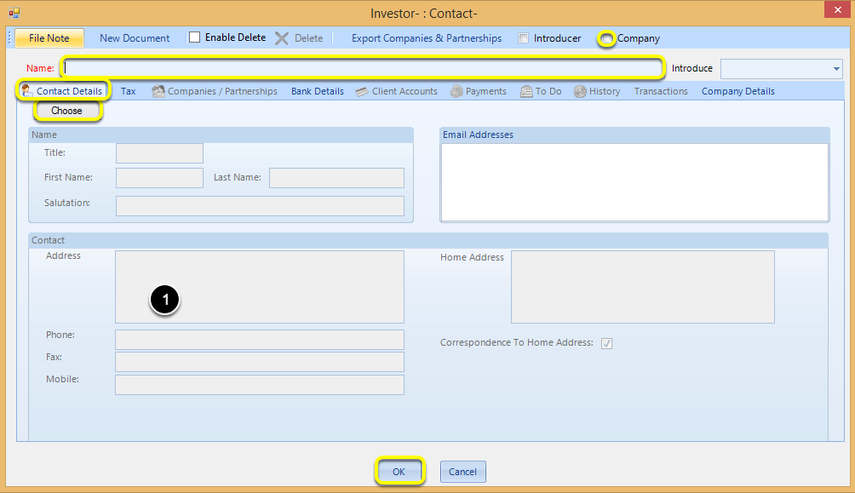
Contact Details
1. Enter the investor Name.
Note: All fields marked in red are required fields.
2. From the Contact Details tab, click Choose to add a contact.
Investor Contacts Window
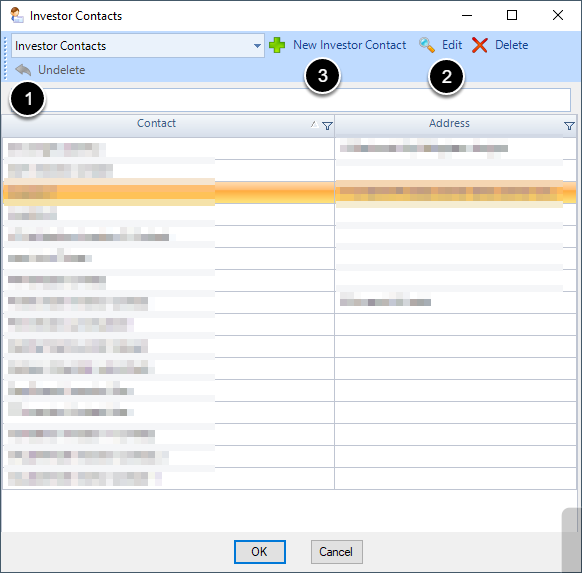
This opens up the window below. Here one can search for existing Investor Contacts (1), Edit the highlighted Investor Contact (2) or create a new Investor Contact (3).
\
3. Select an Investor Contact and click OK.
Note: In order to remove an investor contact from an investor, you must replace the current investor contact with a new investor contact.
4. If the Investor : Contact is a Company, tick the Company checkbox.
Note: Ticking the Company checkbox enables you to add Shareholders. For instructions on adding shareholders to an Investor Contact, click here.
5. Click OK to close the window.
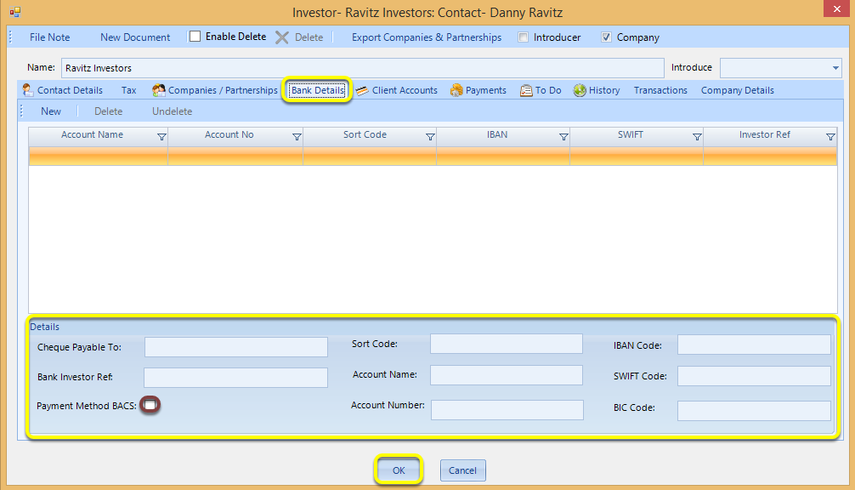
Bank Details
From the Bank Details tab, enter the relevant details and click OK to close the window.
Note: Tick Payment Method BACS to set the default payment type to be BACS.