Set an Account Closure Date
Info
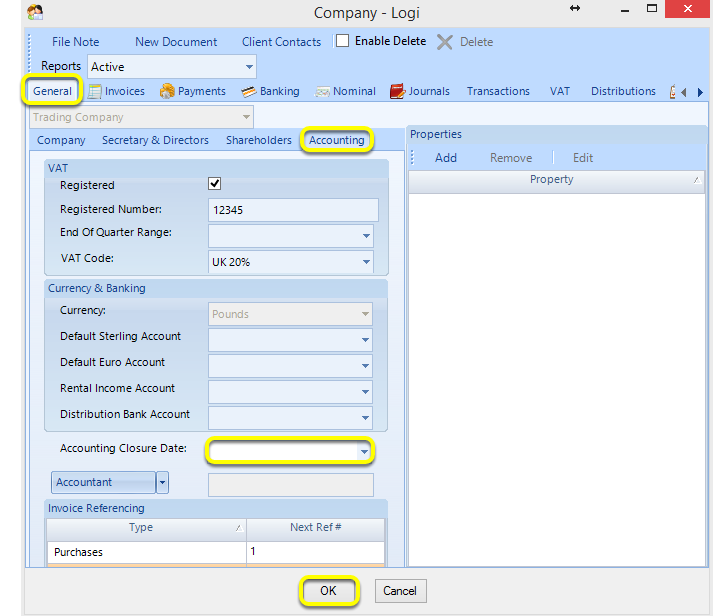
This feature enables you to set the accounting closure date so that transactions cannot be added, deleted or amended prior to the selected date.
Note: This feature requires the user permission from Admin > Users > select the relevant user and double-click or click Edit > Permissions > Accounts > Alter Accounting Closure Date to be enabled in order to set the account closure date.
Set the Account Closure Date
1. Click Search > Companies > select a company and double-click the company to open it. The Company window displays.
2. From the Company window General > Accounting tab, select the Account Closure Date and click OK. No transactions can be added, deleted or altered prior to this date.
Introduced in version 2015.11.12.1969