How to Add Merge Fields to Documents in the Document Library
Info
Open the Document Library
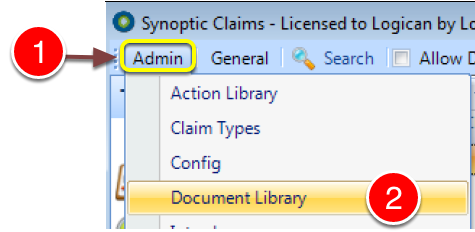
1: Click Admin from the menu.
2: Select Document Library from the drop down menu - the Document Library will open.
Select the Document to Edit
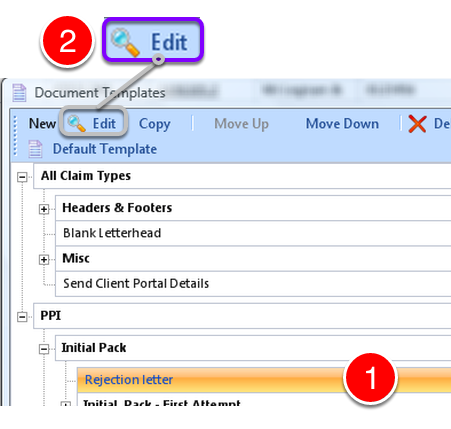
1: Select the document to edit.
2: Click Edit from the menu - the Edit Document window will open.
Open the Document in Microsoft Word
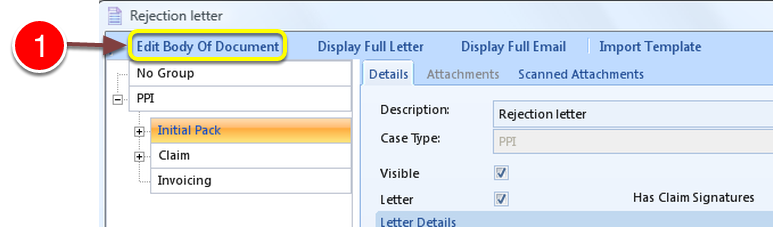
1: Click Edit Body Of Document - Microsoft Word will open.
Insert Merge Fields
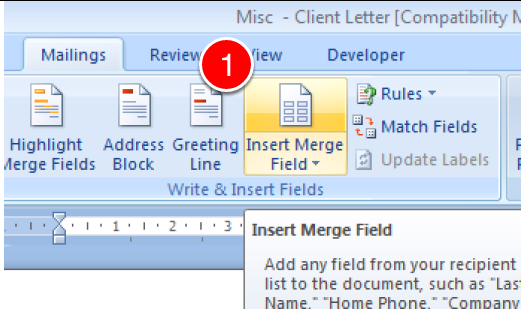
1: Click Insert Merge Field.
Select the Required Field from the List
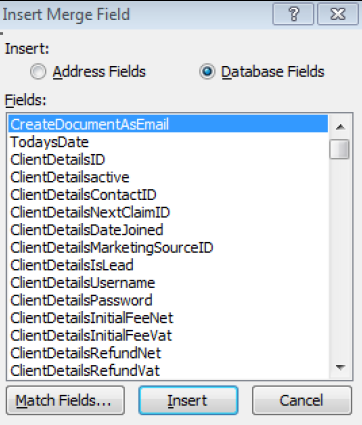
When the letter is complete, SAVE the document and then close it.