How to Pay an Invoice using Authorise Payments
Info
There are two methods of Paying an invoice using Authorise Payments
Paying an Invoice from the Invoices screen
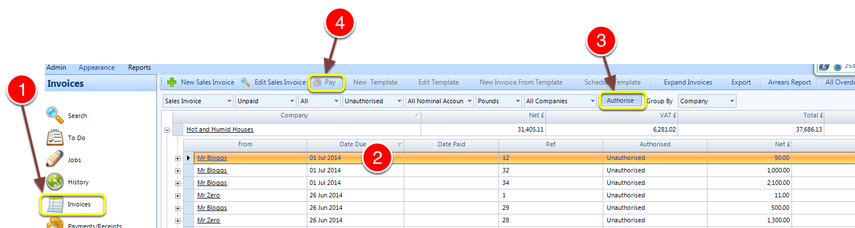
1. Click Invoices to change to the Invoices Screen
2. Click once to highlight the Invoice you wish to Pay
3. Click Authorise to authorise the payment.
4 Click Pay to pay the invoice.
Paying an Invoice from the Invoice Details Screen
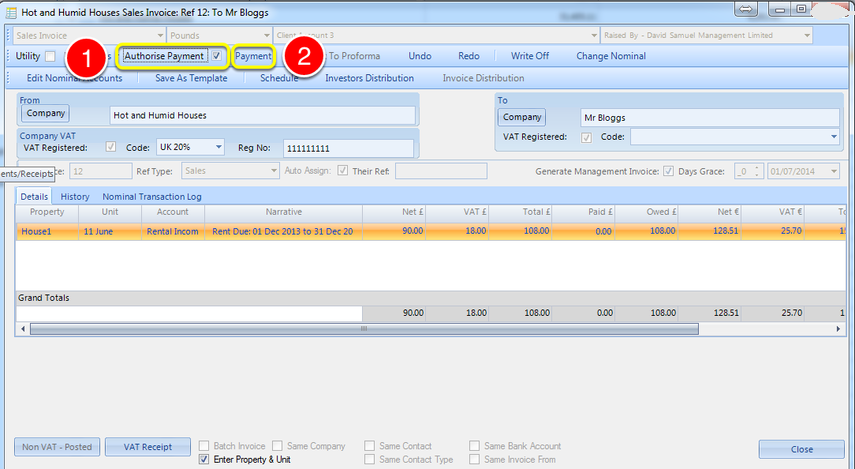
1. Click the Authorise Payment checkbox
2. Click the Payment button