How to Personalise an Invoice Reference
Info
You can select your own invoice reference number and Type (and the software will protect you from duplicating references) as follows:
Setting a Personal Invoice Reference Number
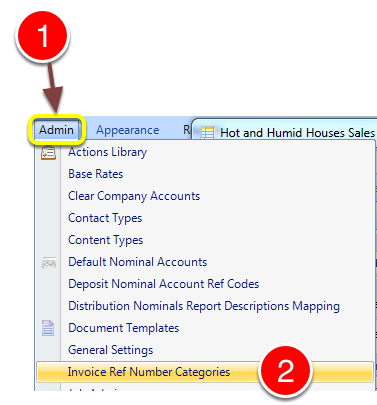
1: Click Admin from the Menu.
2: Select Invoice Ref Number Categories from the drop down list - the Invoice Ref Number Categories window will open.
The Invoice Ref Number Window
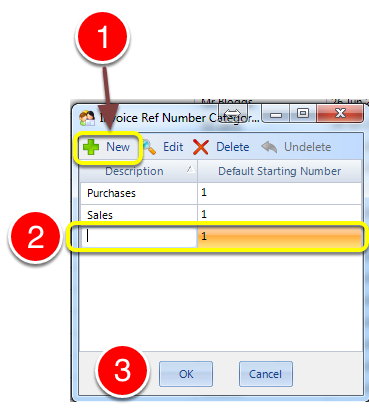
1: Select New to add Reference Types - a new line will be created for editing.
2: Add description and default starting number.
3: Click OK to Save the data and close the window.
The Invoice Window
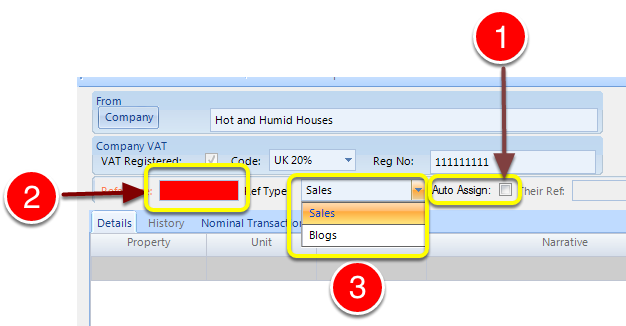
1: Unclick the auto assign tick box.
2: Select an invoice number.
3: Select the reference type from the drop down list.