How to View Nominal Codes in Invoice Details Drop Down and Filter Nominal Accounts
Setting the Nominal Codes to appear on in the invoice item drop down
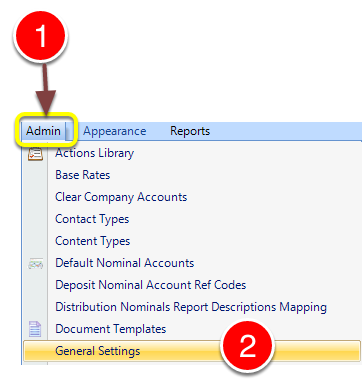
1: Click Admin from the Menu.
2. Select General Settings from the drop down list - the General Settings window will open.
The General Settings Window
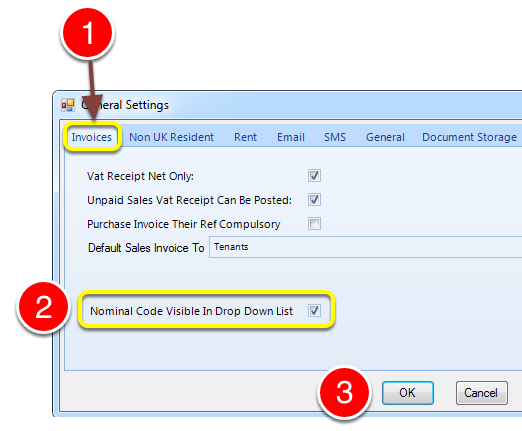
1: Click th Invoice tab.
2: Check the Nominal Codes visible in Drop down list tick box to make the Codes visible in invoices.
The Invoice Screen
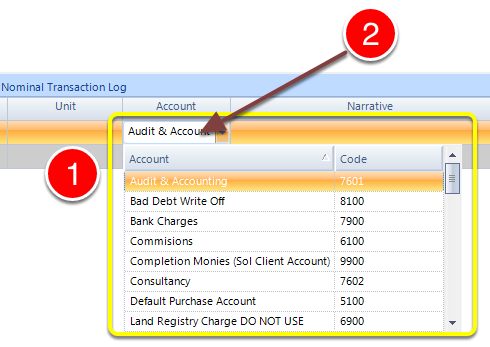
1: You can view the nominal codes in the drop down List.
2: You can also filter the list intelligently by typing your search criteria in the account box.