How to set up Nominal Account Reporting Groups
Open the Nominal Accounts Reporting Groups window
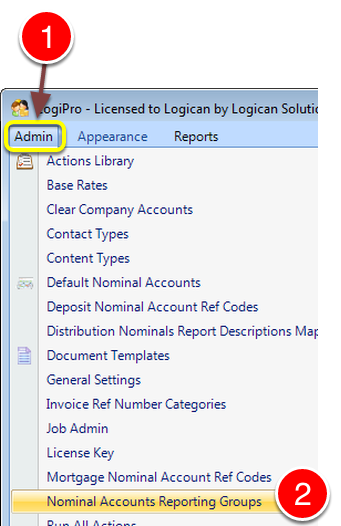
1: Click Admin from the Menu.
2: Select Nominal Accounts Reporting Groups from the drop down list - the Nominal Accounts Reporting Groups window will open.
Create a New Group and add Nominal Accounts to it
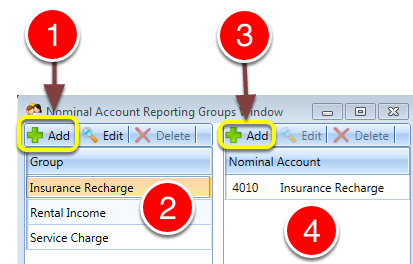
1: Click Add to Add a Group - a new line will be created for editing.
2: Type in the Group Description.
3: Add Nominal Codes to the Group by Clicking New - a new line will be created.
4: Select a Code from the drop down list.