Generate Invoices and Credit Notes from a Template
Info
Using templates make a repetitive process much easier, faster and smoother. Templates can be accessed from the Invoice Template screen, a Company Invoice tab and a Contact Invoice tab.
From the Template Screen
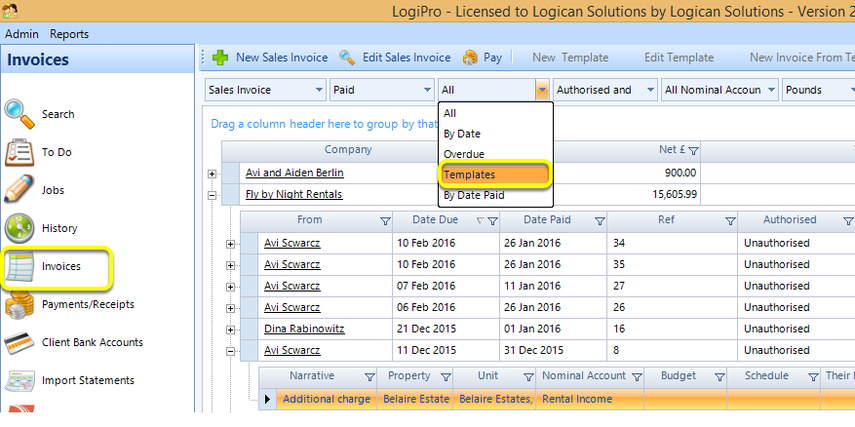
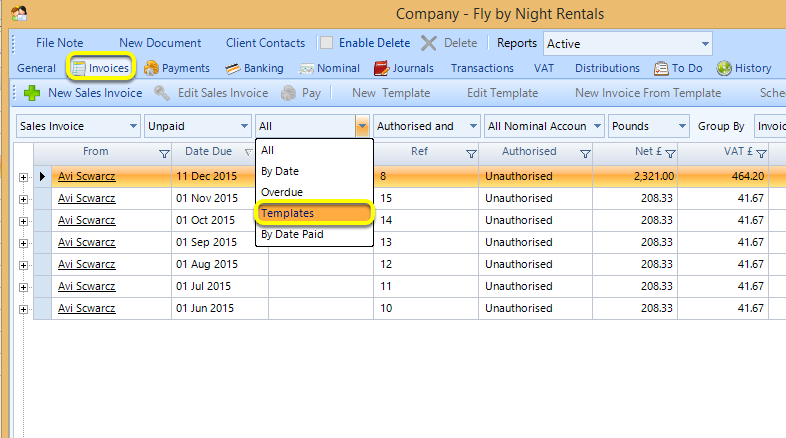
1. Select Invoices.
2. From the drop down list, select Templates. The template list displays.
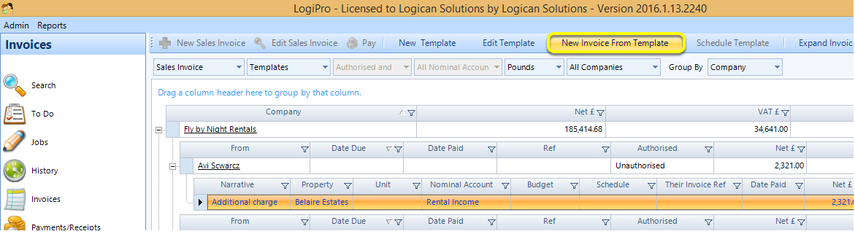
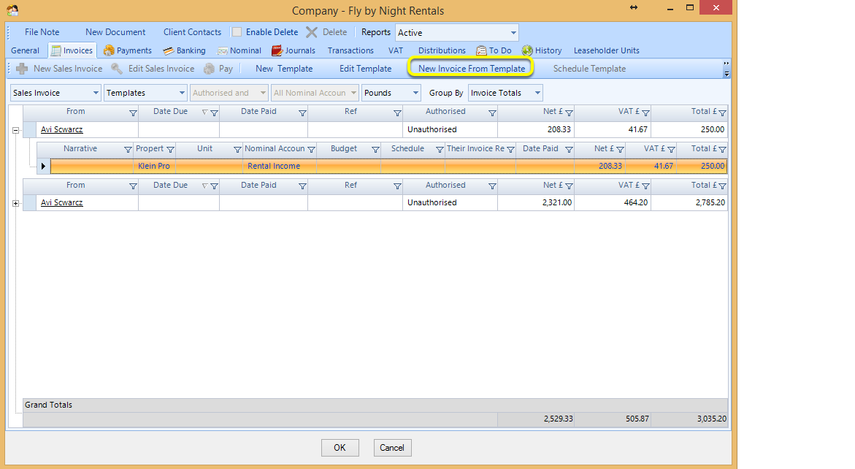
Select an existing template and click New Invoice From Template. The Invoice Template window displays.
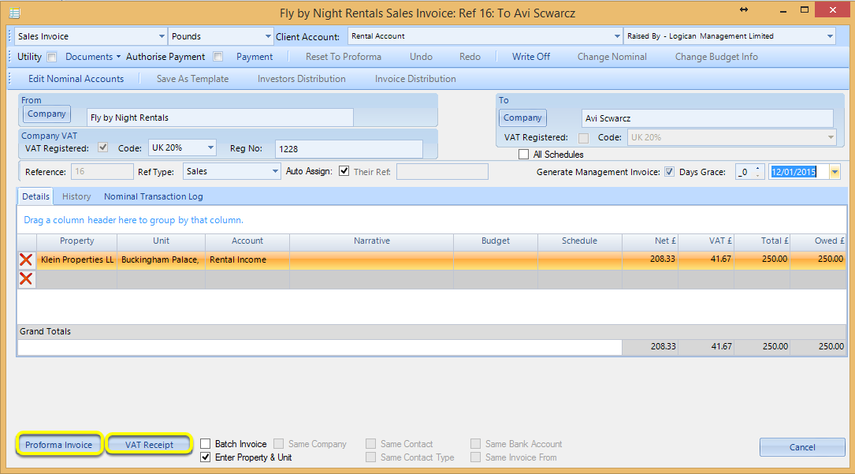
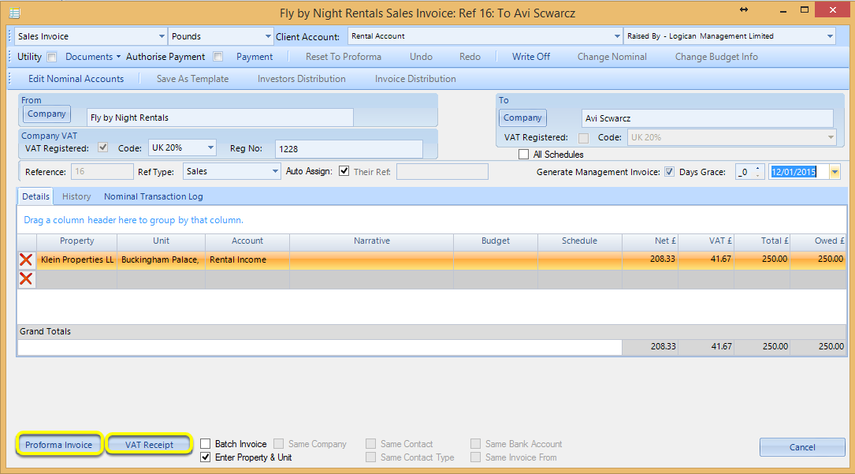
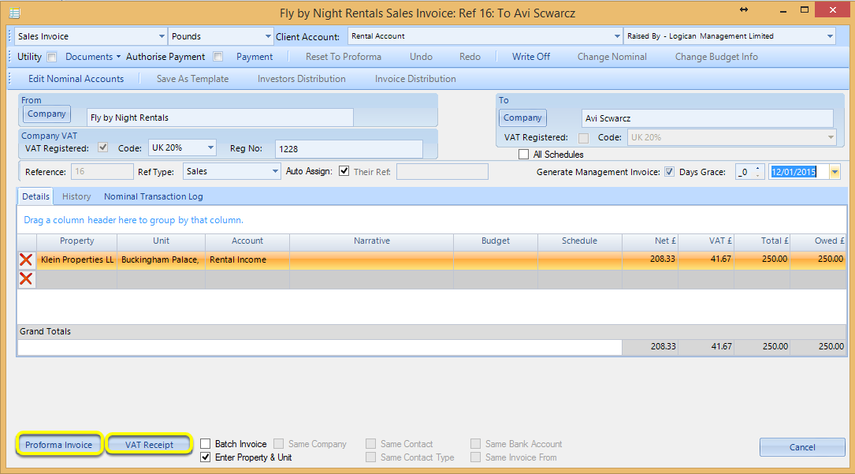
Enter the relevant data and click Proforma Invoice or VAT Receipt. The invoice generates.
From a Company Invoices Tab
1. Open a company and select the Invoices tab.
2. From the drop down list, select Templates. The template list displays.
Select an existing template and click New Invoice From Template. The Invoice Template window displays.
Enter the relevant data and click Proforma Invoice or VAT Receipt. The invoice generates.
From a Contact Invoices Tab
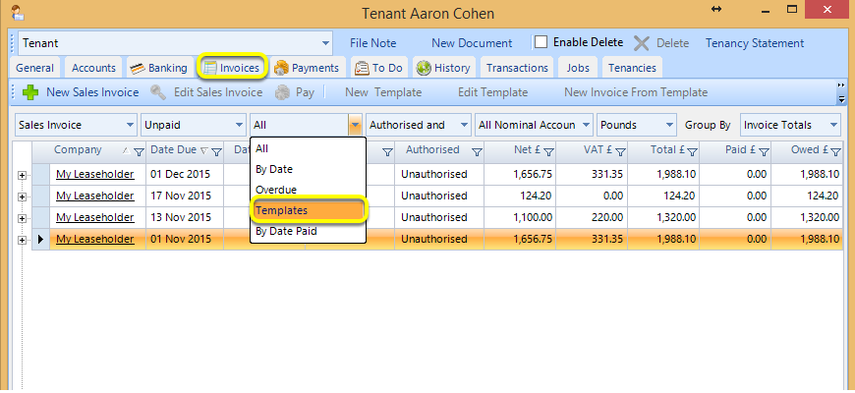
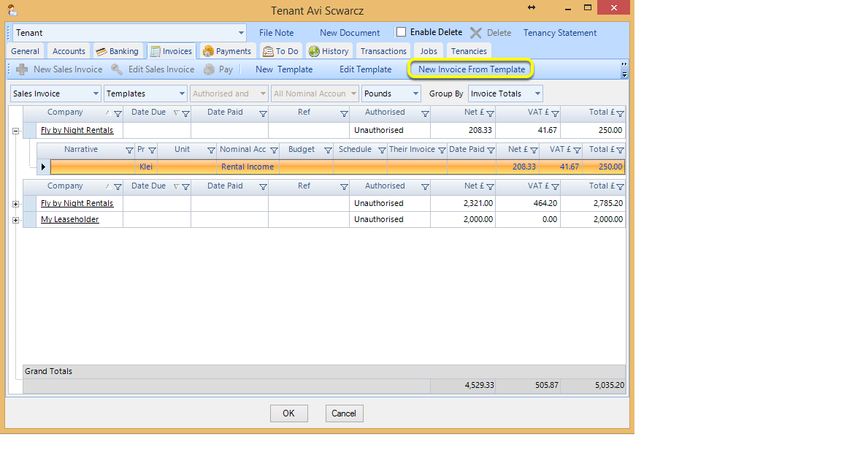
1. Open a contact and select the Invoices tab.
2. From the drop down list, select Templates. The template list displays.
Select an existing template and click New Invoice From Template. The Invoice Template window displays.
Enter the relevant data and click Proforma Invoice or VAT Receipt. The invoice generates.