How do I select the Update Claim Options
Open the Action library
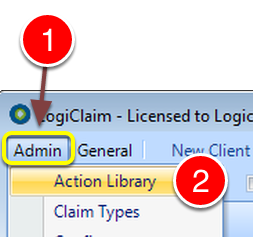
1: Click Admin from the Menu.
2: Select Action Library from the drop down list - the Action Library window will open.
Select the required Action
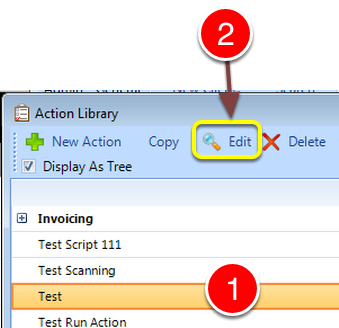
1: Select the required Action.
2: Click Edit - the Edit Action window will open.
Schedule to Client
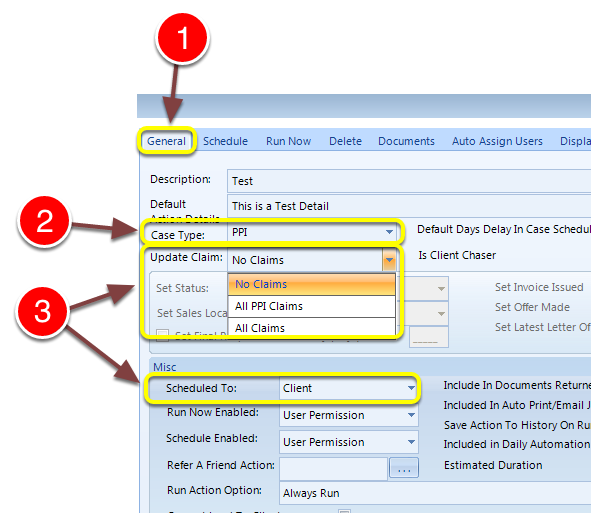
1: Select the General tab.
2: Case type should NOT be set to All Claims.
3: When Scheduled to is set to Client there are 3 options on the list.
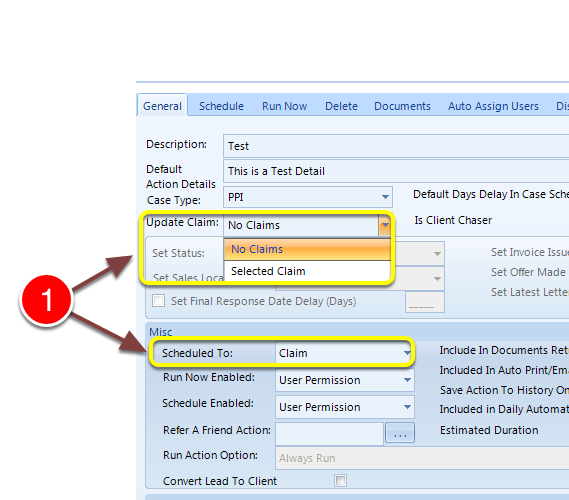
1: When Scheduled to is set to Claim there are only 2 options on the list.