Open the Action Library and Select View Type
Open the Action Library
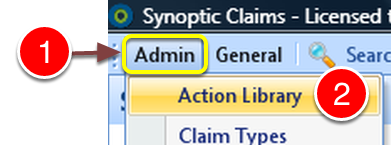
1: Click Admin from the menu.
2: Select Action Library from the drop down list.
Select the Required View
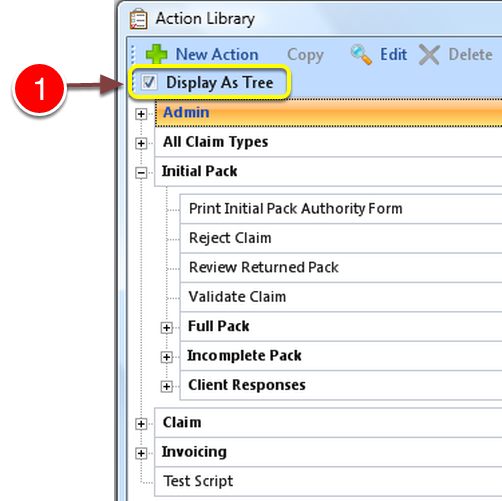
1: To use Tree View - tick the Display As Tree checkbox.

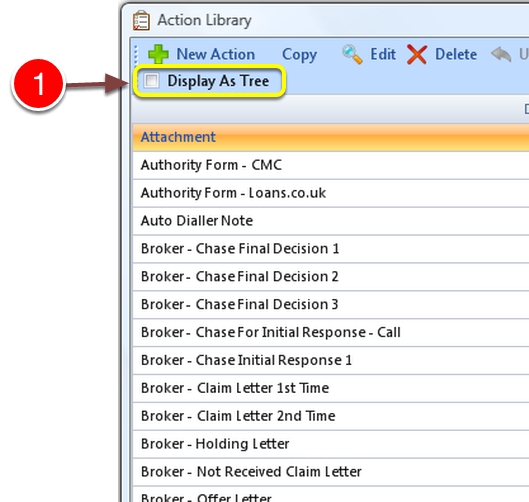
1:To use the List View - untick the Display As Tree tick box