How to Auto Assign a User to an Action
Open the Action Library
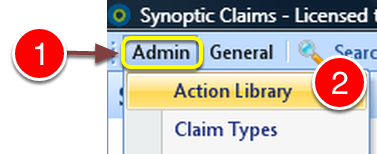
1: Select Admin from the menu.
2: Select Action Library from the drop down list - the Action Library will open.
Select the Action to Assign the User to
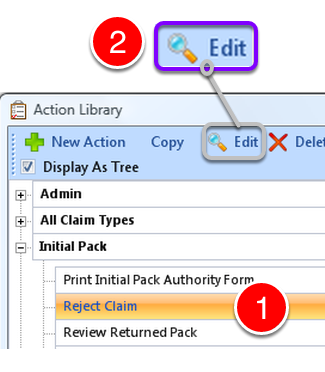
1: Select the required action.
2: Click Edit from the menu - the Edit Action window will open.
Select User
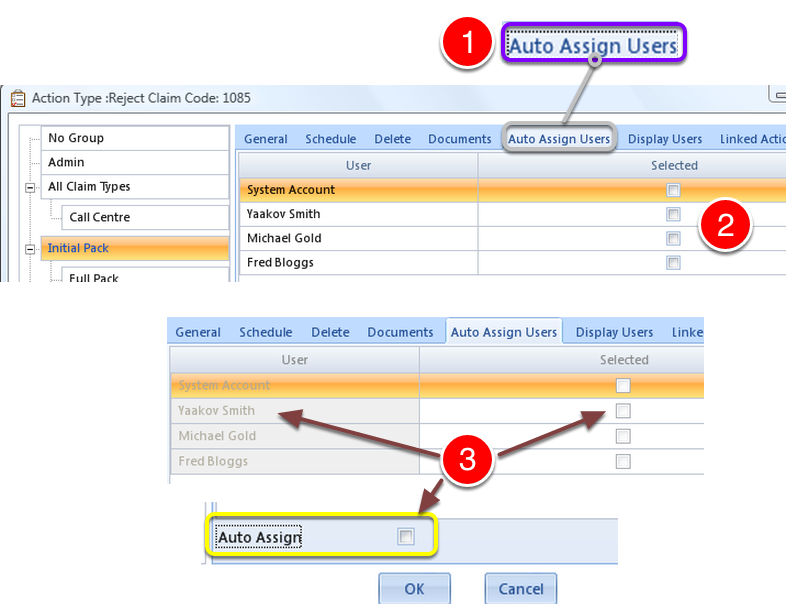
1: Click the Auto Assign Users tab - the Users Assign window will open.
2: Tick the checkbox of the required user.
3: If the users are greyed out, tick the Auto Assign checkbox to activate them.
Close Window
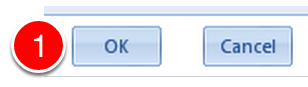
1: Click OK to save changes and close the window.