How to Create an Action that Converts a Lead to a Live Client
Open the Action Library
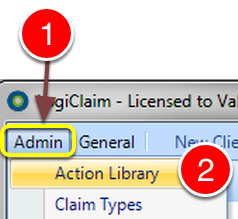
1: Click Admin from the menu.
2: Select Action Library from the drop down list - the Action library will open.
Open the Required Action
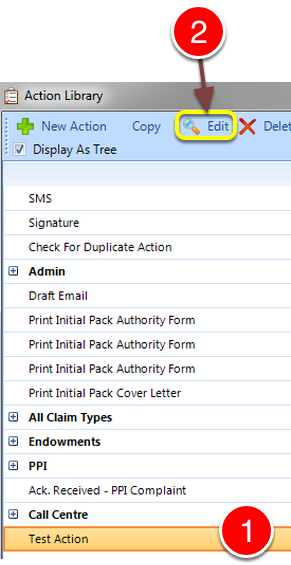
1: Select the required action from the list.
2: Click Edit - the Edit Action window will open.
Tick the Convert Lead to Client checkbox
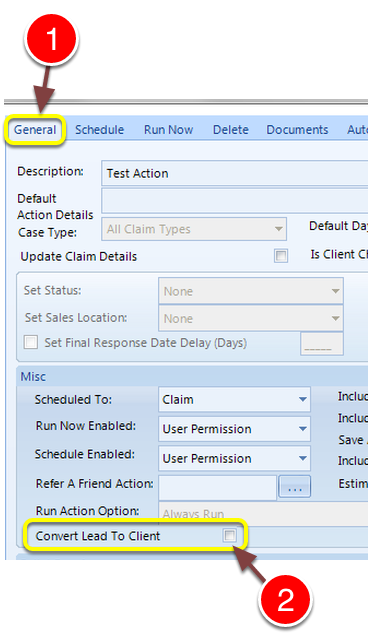
1: Click the General tab - the General settings window will open.
2: Tick the Convert Lead to Client checkbox - when the Action runs, the Lead will be converted to a Client.