How to set up an Action to Change the Commission Amounts
This feature allows you to run an action to change the commission of particular claims.
Config
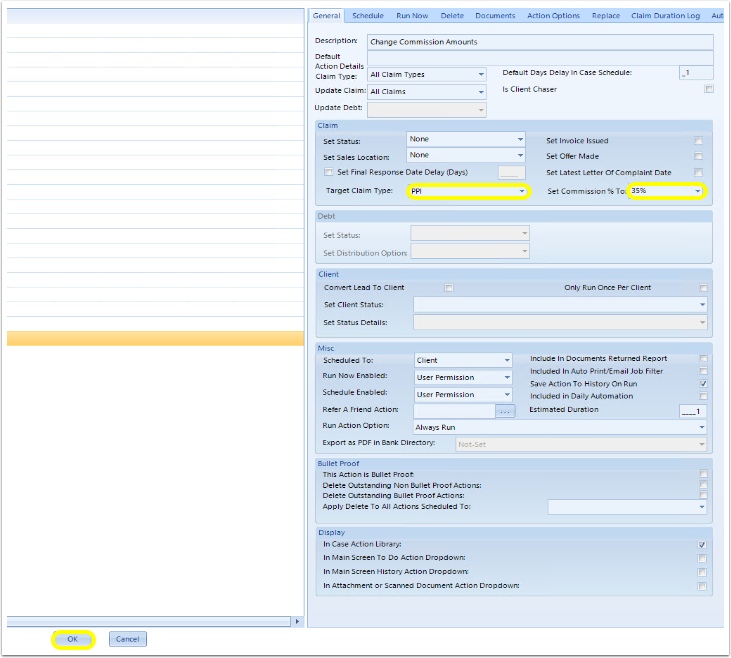
Click Admin > Action Library > New Action.
In the Claim section, set the Target Claim Type. Use the drop down bar to Set Commission % To the value required > OK.
Open the Client.
Open the Action Library >select the new Action > Run Now.
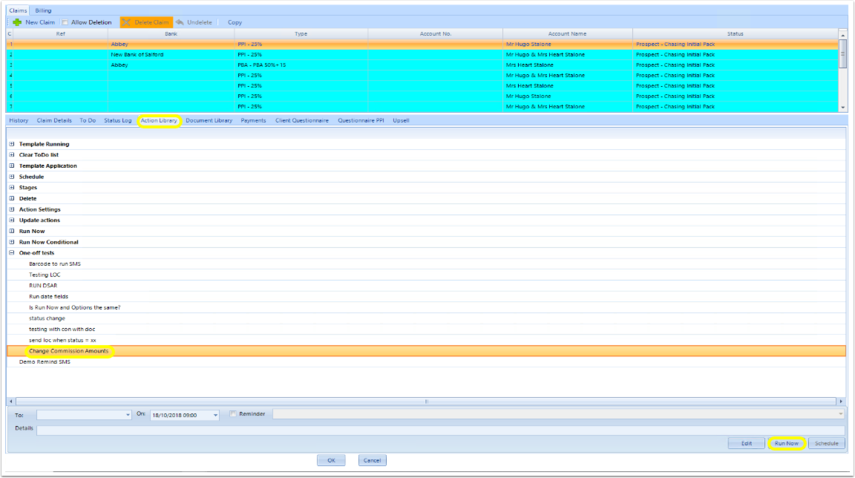
The Commission Amounts of the Target Claim Type will now be updated.

Introduced in Version 2018.11.4.5306 released on 8/11/2018.