How to Assign and Action to Print Using Shared Printer Pools
Open the Action Library
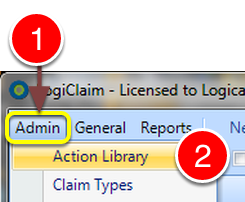
- Click Admin from the menu.
- Select Action Library from the drop down list - the Action Library window will open.
Select an Action
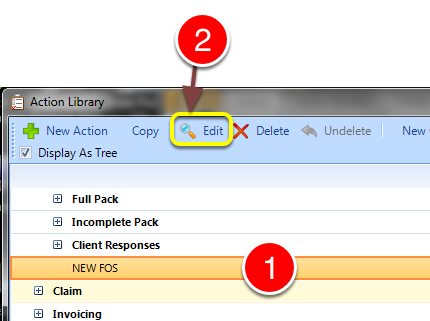
- Select the required action from the library.
- Click Edit - the Edit Action window will open.
Open the Documents Tab
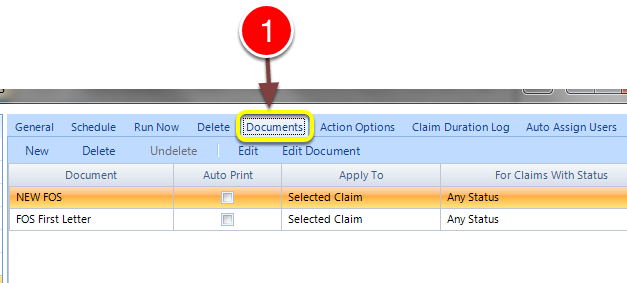
- Select the Documents tab - the Documents window will open.
Select the Printer Pool
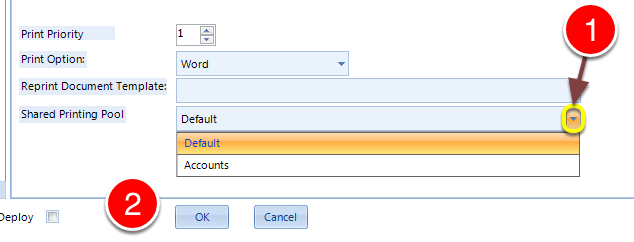
- Select the required Printer Pool from the drop down list.
- Click OK to save the data and close the window.
Introduced in Version Number 2015.6.25.1669 on 25/06/2015