How to Create, Edit or Delete a User Team
Open Teams window
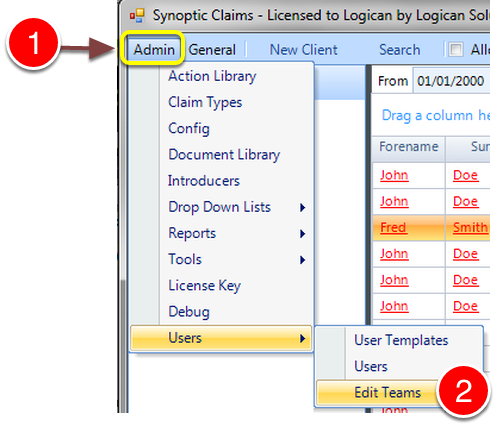
1: Click Admin from the menu.
2: Select Users --> Edit Teams from the drop down list - the Teams window will open.
Add a Team
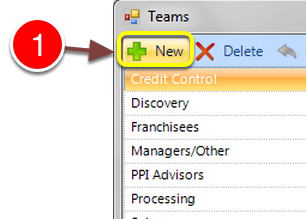
1: To Add a Team click New - the New Team Window will open.
Type the Team Name
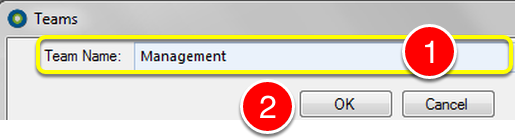
1: Enter a Team Name.
2: Click OK to Save the data and close the window.
Edit a Team
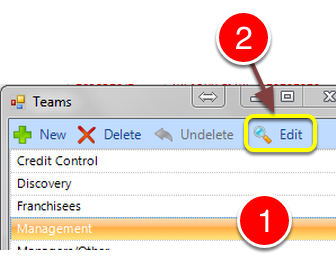
1: Click on the Team to Edit.
2: Click Edit - the Edit Team window will open.
Edit the Team Name
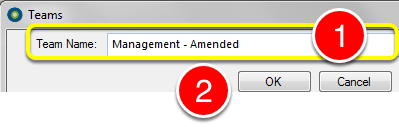
1: Edit the Team Name.
2: Click OK to Save the data and close the window.
Delete a Team
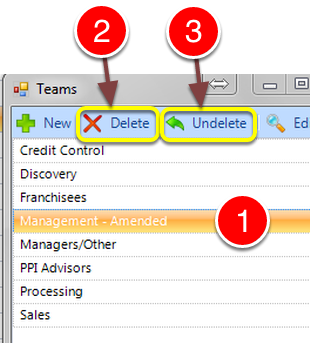
1: Select the Team to be Deleted.
2: Click Delete to delete the team. NOTE: If a Team still has Users assigned to it, it cannot be deleted.
3: If deleted in error, Click Undelete to restore the Team.