How to make the FDL field re-editable for a user
Open the Users window
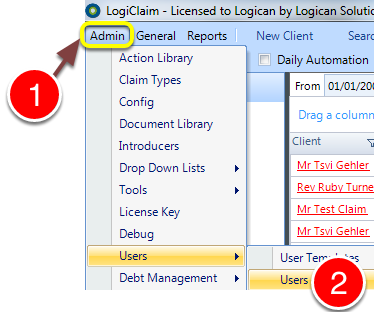
1: Click Admin from the menu.
2: Select Users --> Users from the menu - the Users window will open.
Open the required User's window
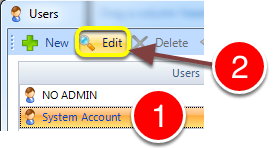
1: Select the required User from the list.
2: Click Edit - the User's window will open.
Change the permission
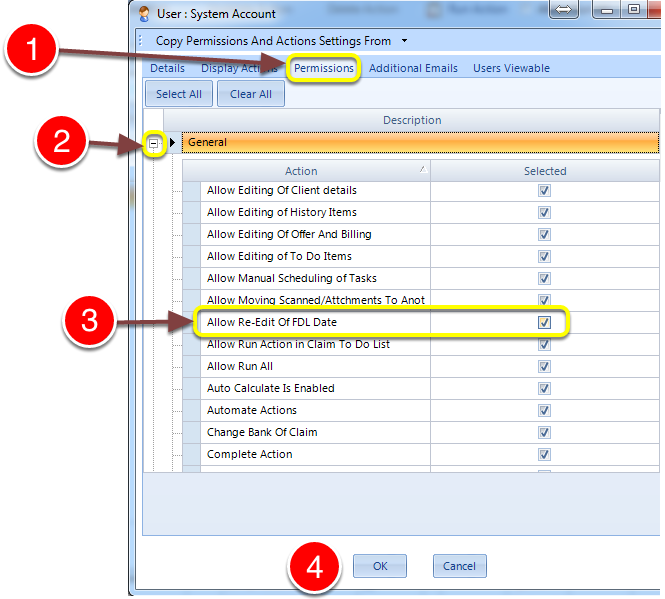
1: Click the Permissions tab.
2: Expand the General section.
3: Tick the Allow Re-Edit Of FDL Date to allow the field to re-edited once set.
4: Click OK to save the change and close the window.
Introduced in version number 2015.4.27.1466