How to restrict a User to view only the Clients they own
Open the Edit User window
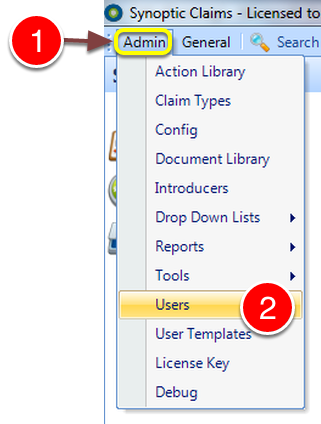
1: Click Admin from the Menu.
2: Select Users from the drop down list - the Users window will open.
Edit a User
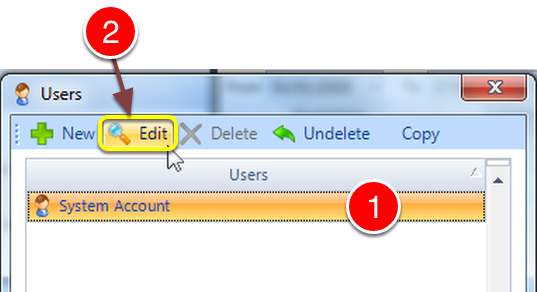
1: Select the User to update.
2: Click Edit - the Edit User window will open.
Open the Permissions window
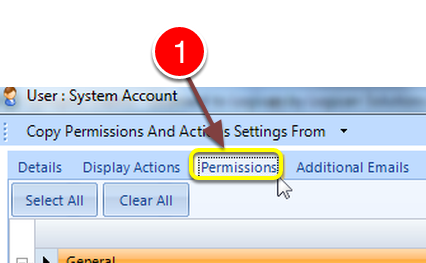
1: Click the Permissions tab - the Permissions window will open.
Expand Permission Based Visibility
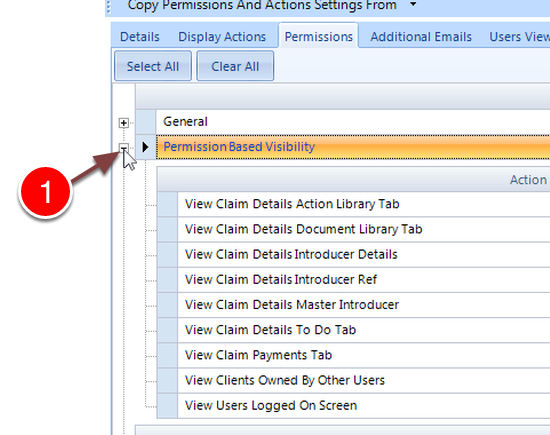
1: Click the + to expand the menu.
Edit View Clients Owned By Other Users

1: Click the tick on to Authorise or off to restrict permission.
Click OK To Save