Display Link Between Related Clients
Open the Config window
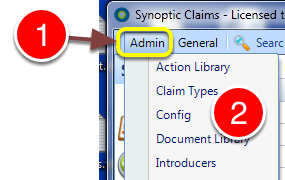
1: Click Admin from the Menu.
2: Select Config from the drop down list - the Config window will open.
Open the Visible Tabs window
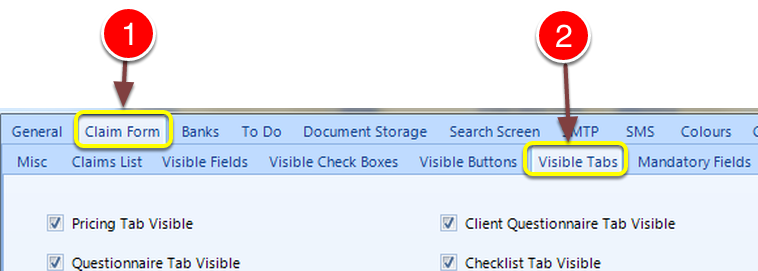
1; Click the Claim form tab.
2: Click the Visible Tabs tab - the Visible Tabs window will open.
Turn on the Related Client Tab
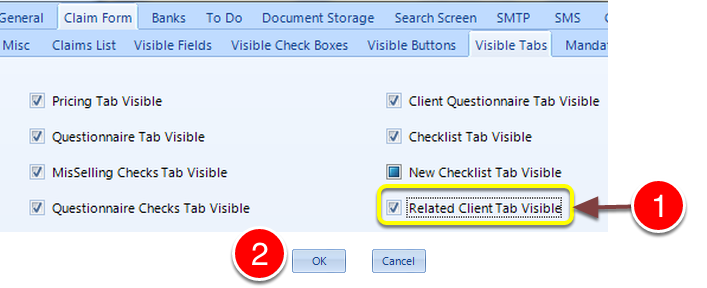
1: Click the Related Client Tab Visible tick box to active this feature, or untick it to deactivate it.
2: Click OK to save the setting and close the window.
Open an Existing Client's Window to add the related client
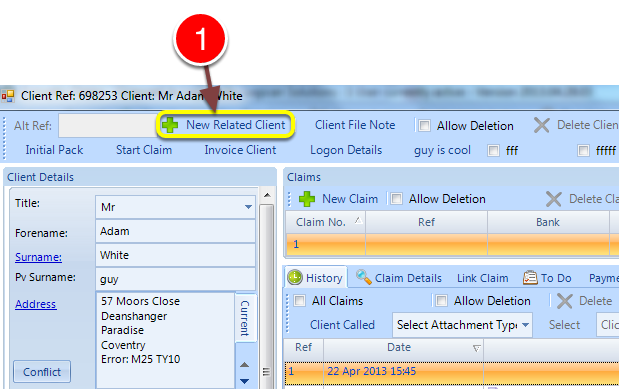
1: Click the New Related Client button - the New related client window will open.
Enter new related client's details and click OK to save.
Now go back to the original client.
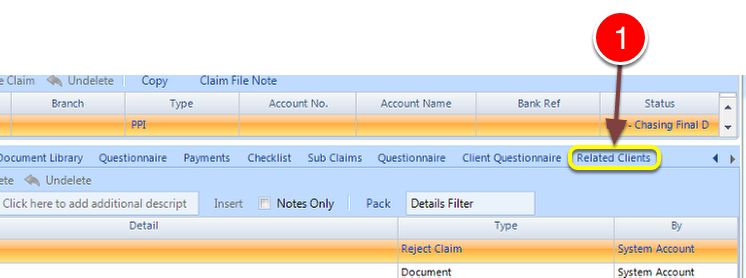
1: Click the related clients tab - the related clients will be displayed.
Double Click a Related Client to Load Their Details
