How to use Client Questionnaire
Open the Config window
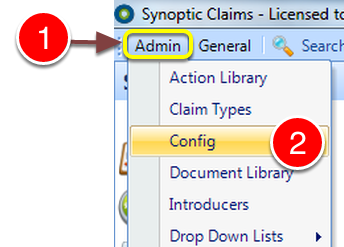
1: Click Admin from the Menu.
2: Select Config from the drop down list - the Config window will open.
Open the Visible Tabs window
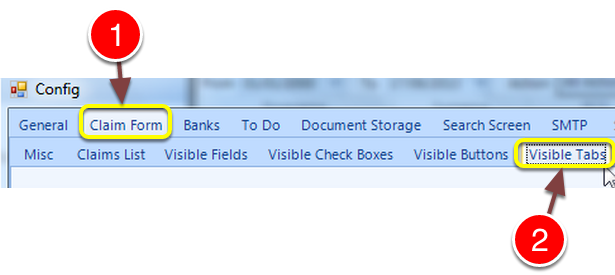
1: Click the Claim Form tab.
2: Click the Visible Tabs tab - the Visible tabs window will open.
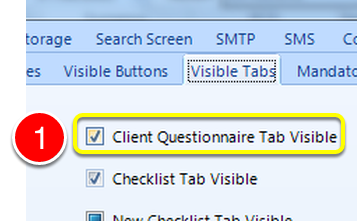
1: Tick the Client Questionnaire Tab Visible check box to enable the Questionnaire.
Open the Client Questionnaire window
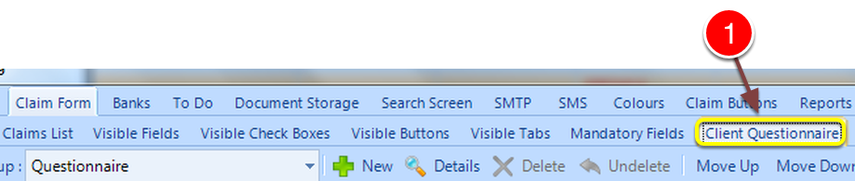
1: Click the Client Questionnaire tab.
Add/Edit New Question(s)
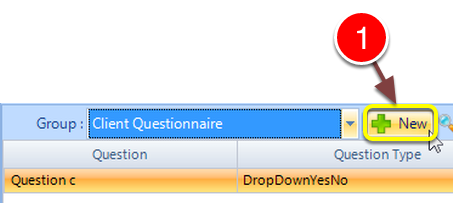
1: Click the New button to add questions.
Click OK To Save
The Client Questionnaire is displayed as a new tab in the client screen
