How to rename the Ref column/header to Claim Number in the Client ToDo list
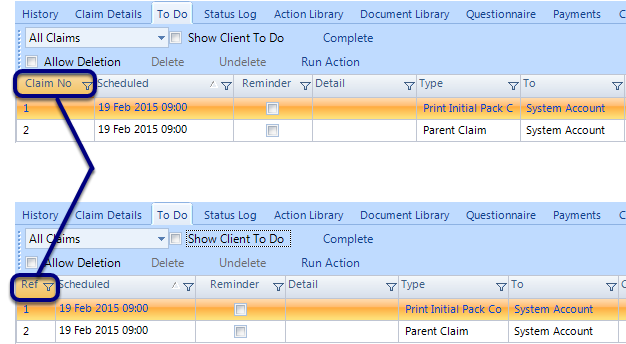
Open the Config
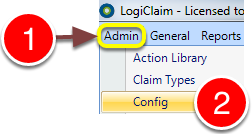
1; Click Admin in the menu.
2: Select Config from the drop-down menu - the Config window will open.
Change the setting
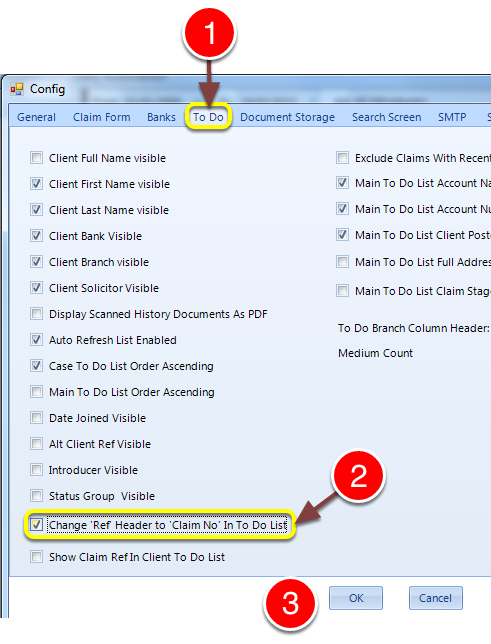
1: Click on the ToDo tab.
2: Tick the Change Ref' Header to 'Claim No' In To Do List check box.#
3: Click OK to save the change and close the window.