How to set the frequency when a user is forced to change his password
Info
Note: This only works for a User who has no admin rights
Open the Config window
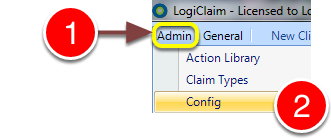
1: Click Admin from the Menu.
2: Select Config from the drop-down menu - the Config window will open.
Change the frequency
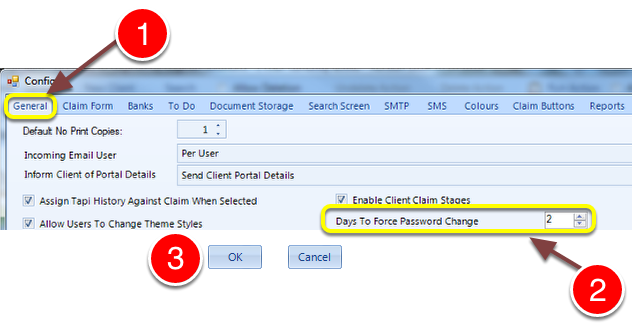
1: Click the General tab - the General Config window will open.
2: Choose how often the users will have to change their passwords - If 0 is selected, they will not have to change their passwords.
3: Click OK to save the setting and close the Config window.