How to display the Account Owner Type
Info
The Account Owner Type is automatically set when the account name is selected from the Account Name drop down list.
This article explains how to display a drop down that overrides this setting.
Open the Config window
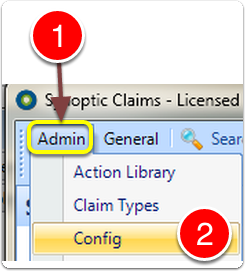
1: Click Admin from the Menu.
2: Select Config from the drop down list - the Config window will open.
Make the Account Owner Type Visible
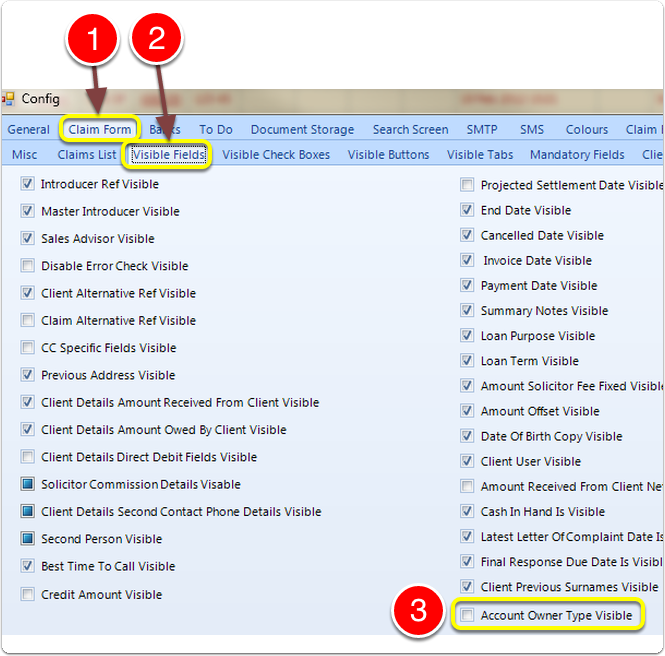
1: Click the Claim Form tab:
2: Click the Visible Fields tab the Visible Fields tab will open.
3: Tick the "Account Owner Type Visible" check-box.
An additional drop down is displayed next to the Account Name drop down list
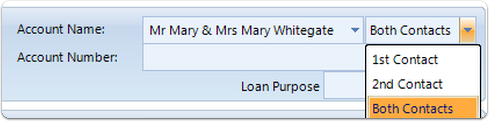
The values are
0 = 1st Contact
1 = 2nd Contact
3 = Both Contacts