Mandatory Questionnaires & Questions
Info
When Questionnaire questions are marked as mandatory, this option gives the user an indication that there are incomplete mandatory questions, and does not allow the user to save the questionnaire until all mandatory questions are answered.
Before and After Config Changes
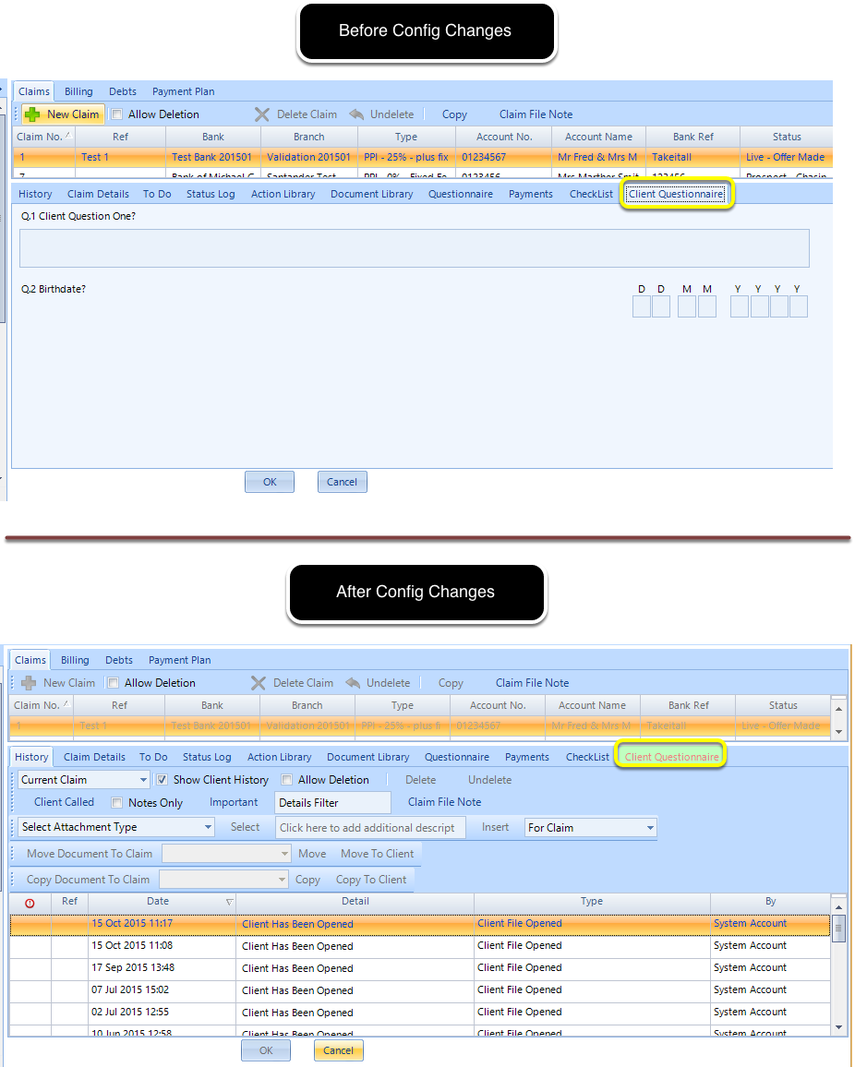
Config Changes
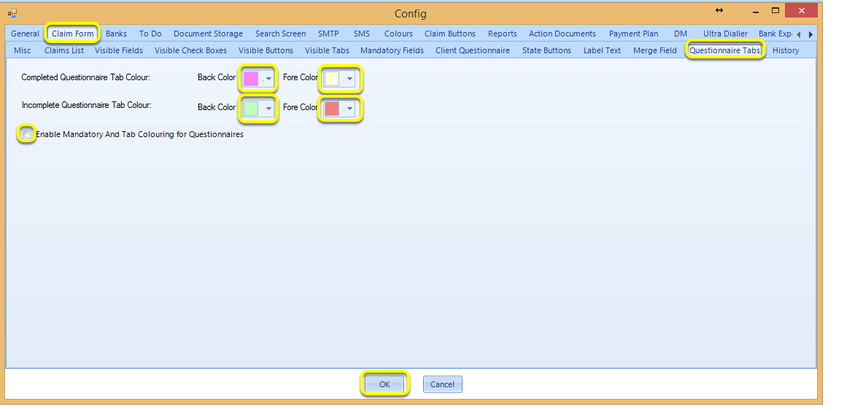
1. Click Admin > Config > Claim Form > Questionnaire Tabs.
2. Select the Tab Colours and tick the Enable Mandatory And Tab Colouring for Questionnaires checkbox.
3. Click OK to store your changes.
Introduced in version number 2015.10.21.2152 - 30/10/2015