How to put the New Client button on the main screen
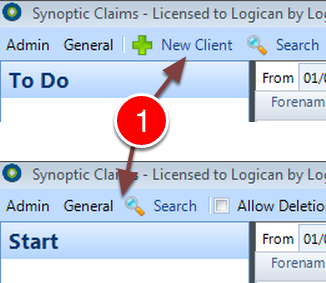
The New Client button can be added or removed from the main screen.
Open Config
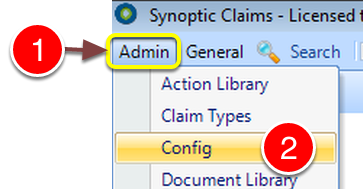
1: Click Admin from the Menu.
2: Select Config from the drop down list - the Config window will open.
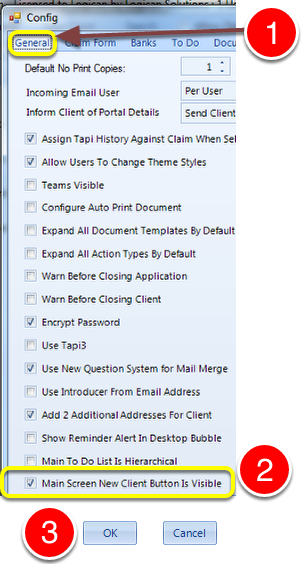
1: Click the General tab.
2: Click the Main Screen New Client Button Is Visible check box to turn the tick on to show the button or off to hide the button.
3: Click OK to Save the change and close the window.
Synoptic Claims will need to be closed and then restarted for this change to take effect.